


AI 3D · For games
AI 3D Game Asset Generator: Game-Ready Props From One Image
The Game-ready engine turns a piece of concept art into a light, textured mesh, a few thousand triangles with the fine detail baked into 4K texture maps, so it looks rich but runs on mobile, web and VR. Download GLB or OBJ and drop it into your engine.
About the ai 3d game asset generator
Game engines care about two numbers: how many triangles a model has and how big its textures are. A 1.5-million-triangle sculpt looks great in a viewer and ruins a frame rate in a scene. The Game-ready engine starts from that constraint: it rebuilds your concept as a low-poly mesh and bakes the detail into normal, colour and roughness maps.
Need more geometry, a hero asset or clean quads to retopologise? Switch to Pro with Quad mesh. Below: polygon budgets by platform, how to import into each engine, and real low-poly examples with their triangle counts.
Game-ready props, a few thousand triangles each
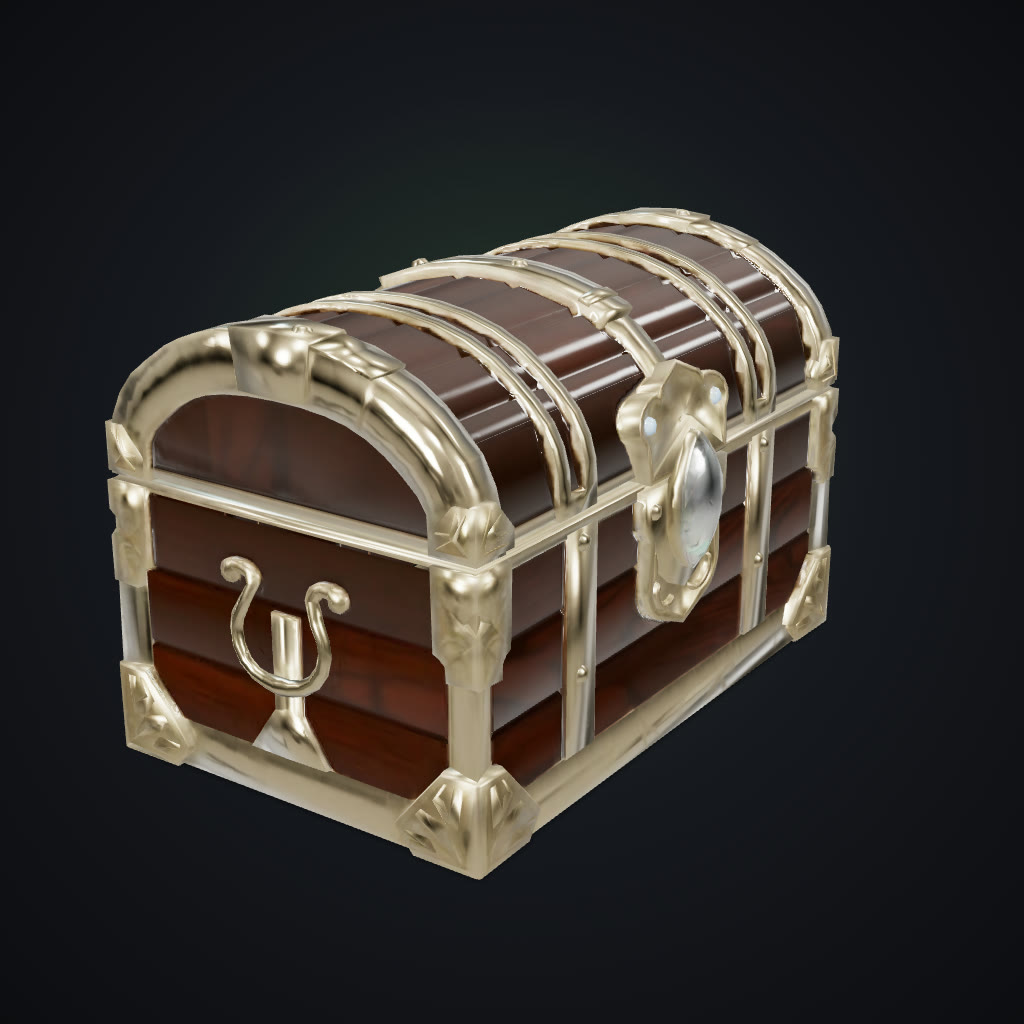
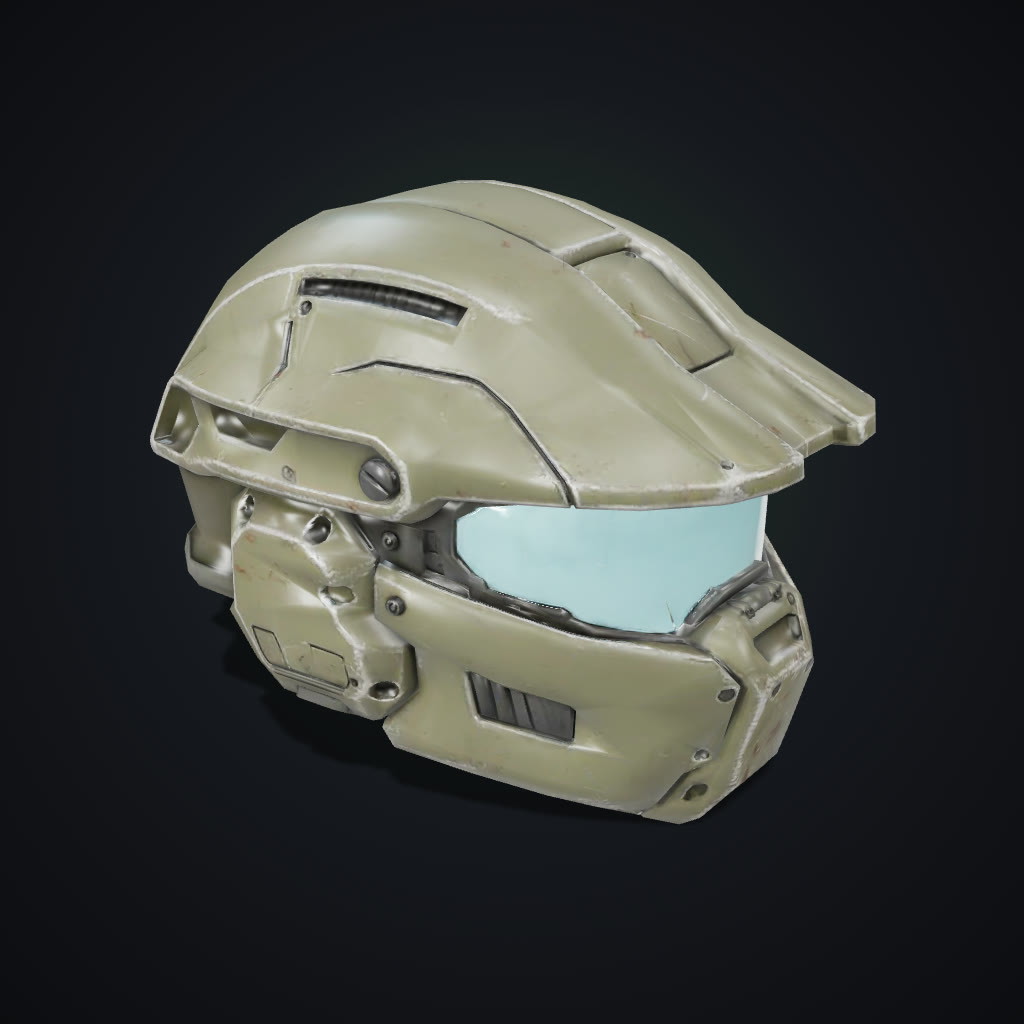
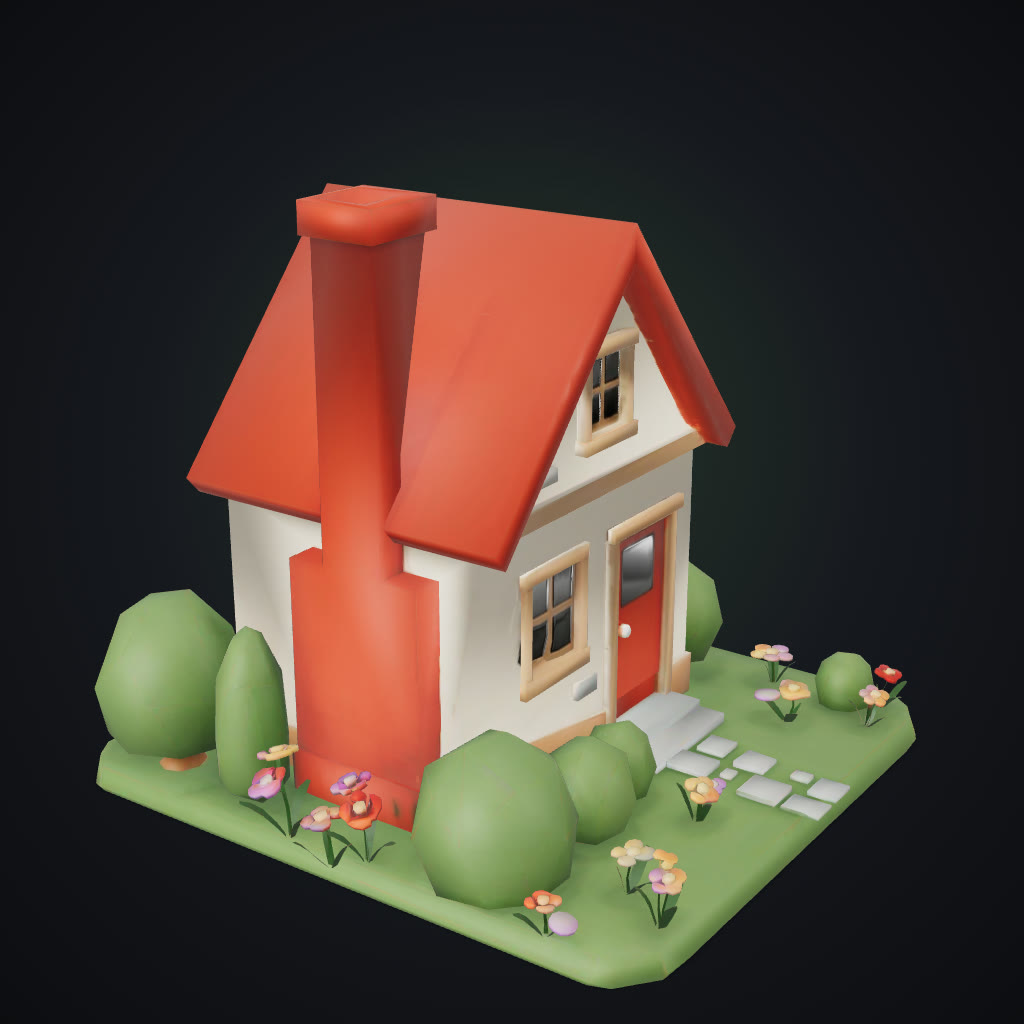
Each prop was generated from one concept image by the Game-ready engine. The triangle counts are the real, full models: the detail you see is baked into 4K texture maps.
 AI-generated
Treasure chest
Tripo P2 · 4.0k triangles
 AI-generated
Sci-fi helmet
Tripo P2 · 4.7k triangles
 AI-generated
Cottage diorama
Tripo P2 · 4.1k triangles
What the engine actually ships: textures vs. wireframe
Same models, same angle. Left: textured, as players see it. Right: the real low-poly topology.
- AI-generatedTextured
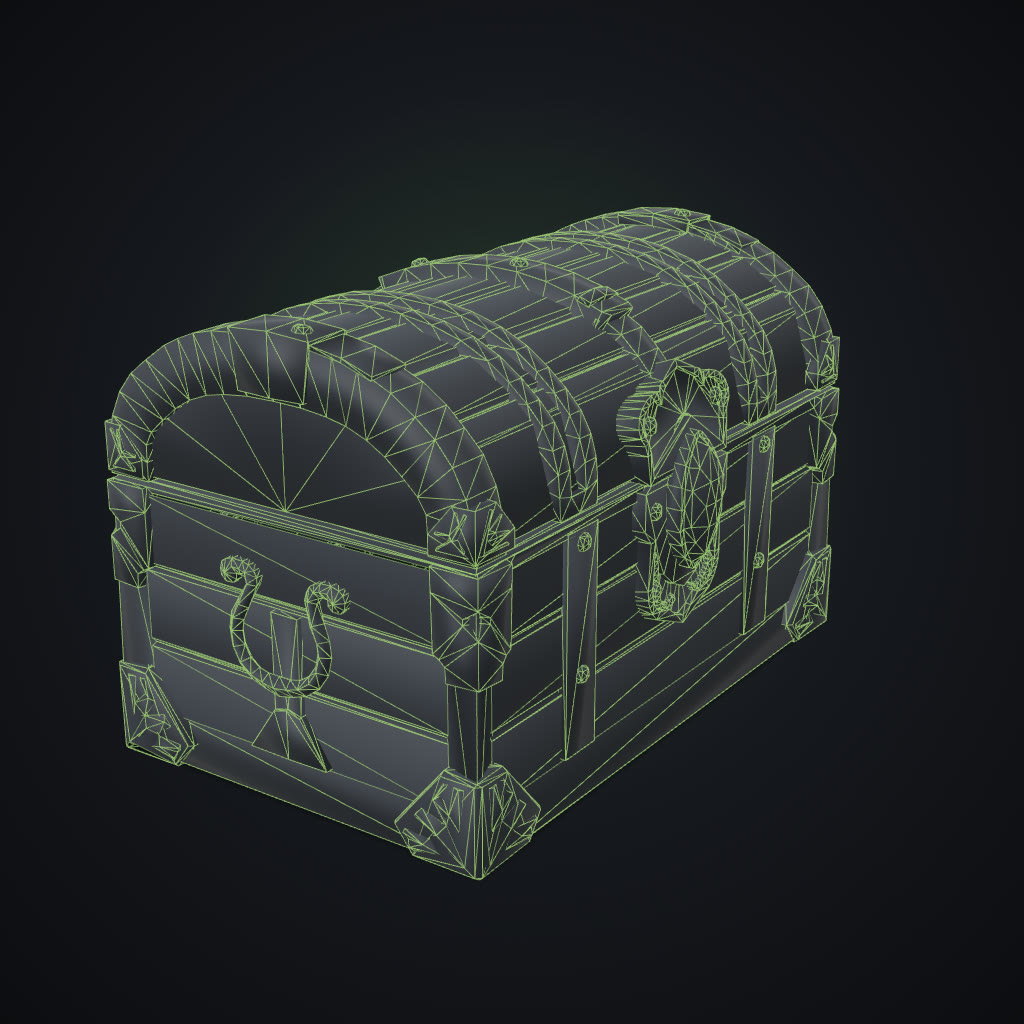 4,006 triangles
 - AI-generatedTextured
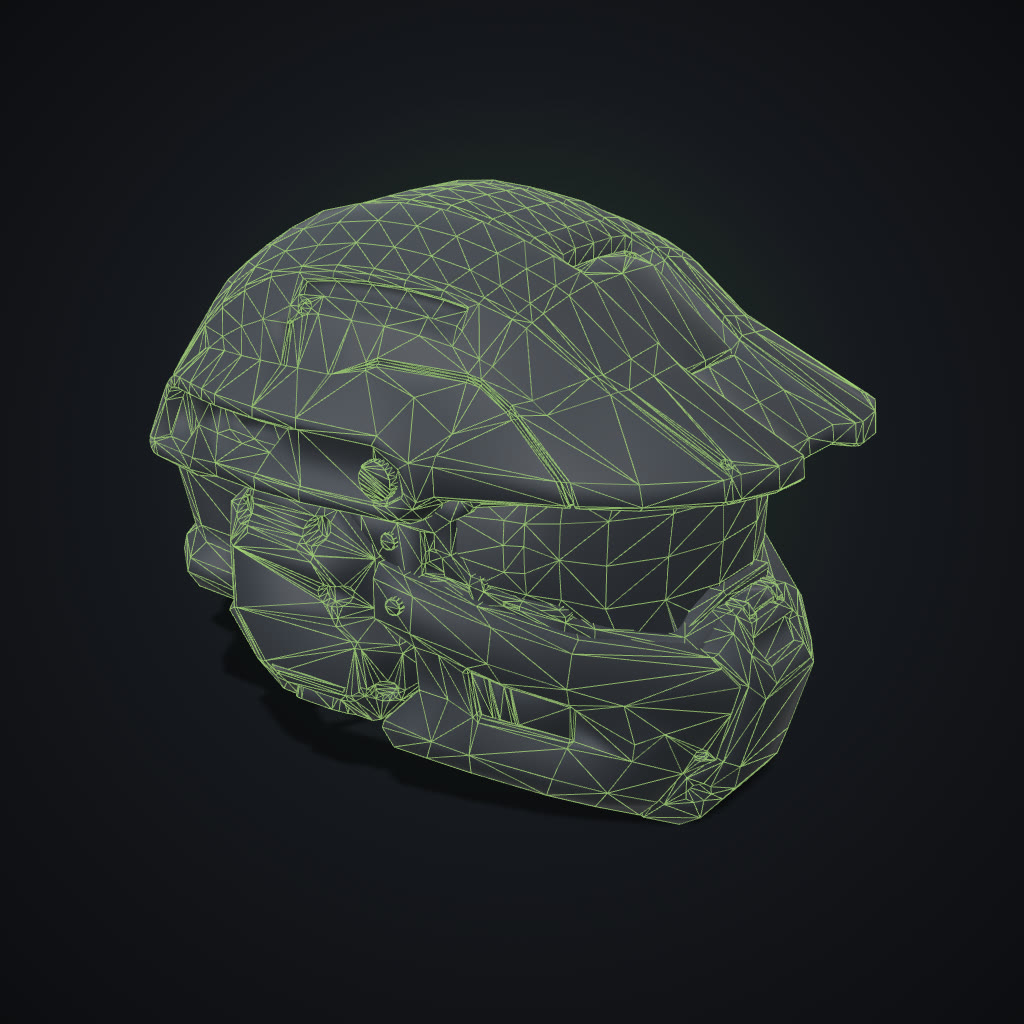 4,699 triangles
 - AI-generatedTextured
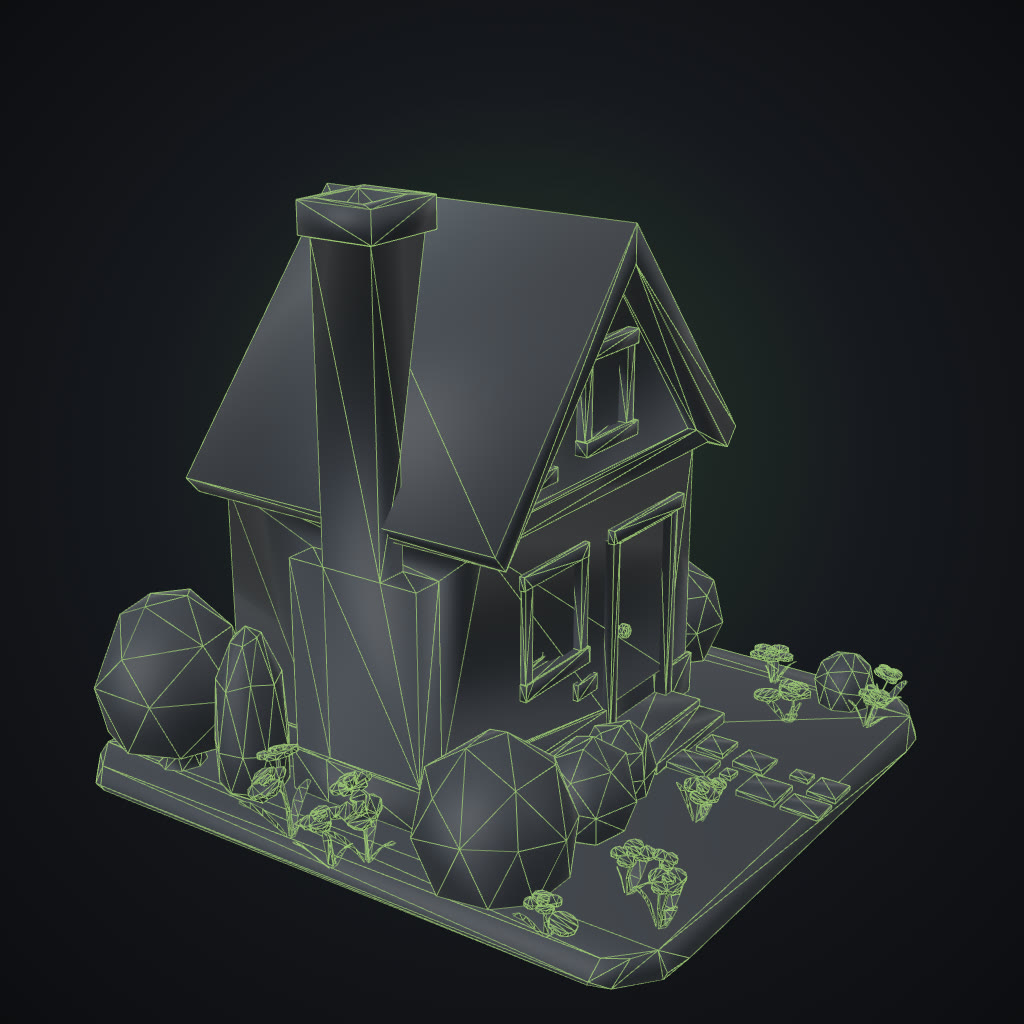 4,093 triangles
Polygon budgets by platform
Typical triangle ranges per asset. Guidance, not rules: your scene, your frame rate.
| Platform | Props | Hero assets | Notes |
|---|---|---|---|
| Mobile | 500 – 5k | 10k – 20k | Keep textures at 1–2K; bake detail into normal maps. |
| Web (WebGL) | 1k – 10k | 20k – 50k | Download size matters as much as triangle count. |
| Standalone VR | 1k – 10k | 15k – 30k | Frame-rate critical: favour low-poly + good maps. |
| PC & console | 5k – 30k | 50k – 150k | Room for Pro meshes on close-up hero assets. |
| Roblox | < 20k per mesh | < 20k per mesh | Studio caps each MeshPart; split large models. |
Game-ready models land around 4,000–5,000 triangles: inside every prop budget above. Use Pro for hero assets.
Import into your engine
Unity
GLBAdd the glTFast package (Package Manager → Add by name: com.unity.cloud.gltfast), then drag the .glb into Assets.
Unreal Engine 5
GLBContent Browser → Import, pick the .glb. Materials and textures are created automatically.
Godot 4
GLBDrop the .glb into the FileSystem dock. Double-click to open it as a scene.
Roblox Studio
OBJ + textureUnzip the download, then File → Import 3D and select the .obj. Apply the .png as the texture.
Blender
GLBFile → Import → glTF 2.0, pick the .glb. Materials arrive as Principled BSDF.
Concept art to game asset in three steps
How it works, what to use it for, how to keep assets consistent, and the questions developers ask before generating a prop set.
How it works
- 1
Add concept art
Upload a clean render or drawing of one prop on a plain background, or pick an AI image. Consistent art style in, consistent assets out.
- 2
Generate with Game-ready
The Game-ready engine builds a light mesh and bakes the detail into 4K PBR maps in about three minutes. Wireframe view shows the real topology.
- 3
Import into your engine
Download GLB for Unity, Unreal, Godot and Blender, or OBJ with its texture for Roblox Studio and older pipelines.
What you can use it for
Prop sets
Chests, barrels, crates, weapons and furniture in one art style, from one sheet of concept art.
Mobile and web games
Light meshes that keep draw calls and memory down without looking flat.
Roblox experiences
Models that stay under the per-mesh triangle limit, imported as OBJ with texture.
Prototyping and game jams
Fill a level with real assets in an afternoon, then replace the ones that matter later.
Features
- Low-poly meshes with detail baked into 4K texture maps
- PBR maps: colour, normal, roughness and metal
- Wireframe view shows the real topology before download
- Optional quad topology for retopology in Blender or Maya
- GLB for Unity, Unreal, Godot and Blender
- OBJ + texture for Roblox Studio and older tools
- Text-to-3D on the Pro engine when you have no concept art
- Credits refunded automatically if a model fails
Tips for the best results
- Keep one art style: Generate every asset in a set from concept art made in the same style and light. The engine keeps what it sees.
- Check the wireframe: Wireframe view shows the actual triangles. Use it to compare assets against your budget before download.
- Scale in the engine: Models are normalised to about one unit. Set the scale once per asset type in your import settings.
- Hero assets on Pro: For close-up props and characters, use Pro with Quad mesh and retopologise in Blender.
Low-poly, not low-detail
A game asset has to look good at a distance, in motion, next to hundreds of others. Baking detail into textures is how studios make light meshes look rich. The Game-ready engine does the same automatically: the geometry carries the silhouette, the maps carry the detail.
Frequently asked questions
How many triangles do the game-ready models have?
Typically a few thousand. The example chest, helmet and cottage on this page show their exact counts. The fine detail lives in the 4K texture maps.
Which file format should I use for Unity?
GLB. Install Unity’s glTFast package and drag the file into your project; the textures come with it. OBJ with texture also works.
Does it work with Unreal Engine and Godot?
Yes. Both import GLB (glTF 2.0) directly, including the PBR materials.
Can I use the models in Roblox?
Yes. Download OBJ + texture and use Import 3D in Roblox Studio. Game-ready meshes stay well under Roblox’s per-mesh triangle limit.
Are the models rigged or animated?
No. Models are static meshes. Rig characters in Blender or with your engine’s tools.
Can I make a whole set in one style?
Yes. Generate each asset from concept art in the same style and lighting. Consistent input gives consistent output.
Who can use it?
Adults (18+) with an active subscription or credits. It is built for objects, props, creatures and fictional characters. Only upload photos you have the rights to use; images showing anyone under 18 are blocked before any credits are charged.
How much does it cost?
21 credits per Game-ready model, or 23 with detailed textures. Pro models start at 6 credits.
Explore more AI photo tools
Image Editor
Edit any photo with a text prompt
3D Model Generator
Photo to 3D model, GLB & STL
Image to STL
Photo to a print-ready STL
Text to 3D
Describe it, get a 3D model
AI Headshots
Pro headshots from a selfie
AI Interior Design
Redesign any room from a photo
Object Remover
Brush away anything in a photo
Image Extender
Uncrop & expand any photo
Photo Restoration
Restore & colorize old photos
Background Remover
Transparent PNG in one click
Skin Enhancer
Natural one-click retouch
Change Camera Angle
New views of one photo
Mockup Generator
Your design on any product
See the full AI image tools collection or open the AI Image Studio.