


AI 3D · From text
Text to 3D Model: Describe It, Get a 3D Model
No photo needed. Describe one object, its material and its style, and the Pro engine designs it and builds it in full 3D with PBR textures. Download GLB, STL for printing, OBJ or USDZ.
About the text to 3d model
Text to 3D works in two stages you never have to manage: the engine first imagines the object from your words, then reconstructs it as a textured mesh. That is why prompts that describe one object clearly, with its material and style, beat long scene descriptions.
Below the generator you will find a prompt library built from real generations, including the four examples in the viewer. Copy one, change the nouns, and generate.
Made from one sentence each
Each model below was generated from the prompt under it, with no photo and no editing. Open them in the viewer above, check the wireframe, download them.
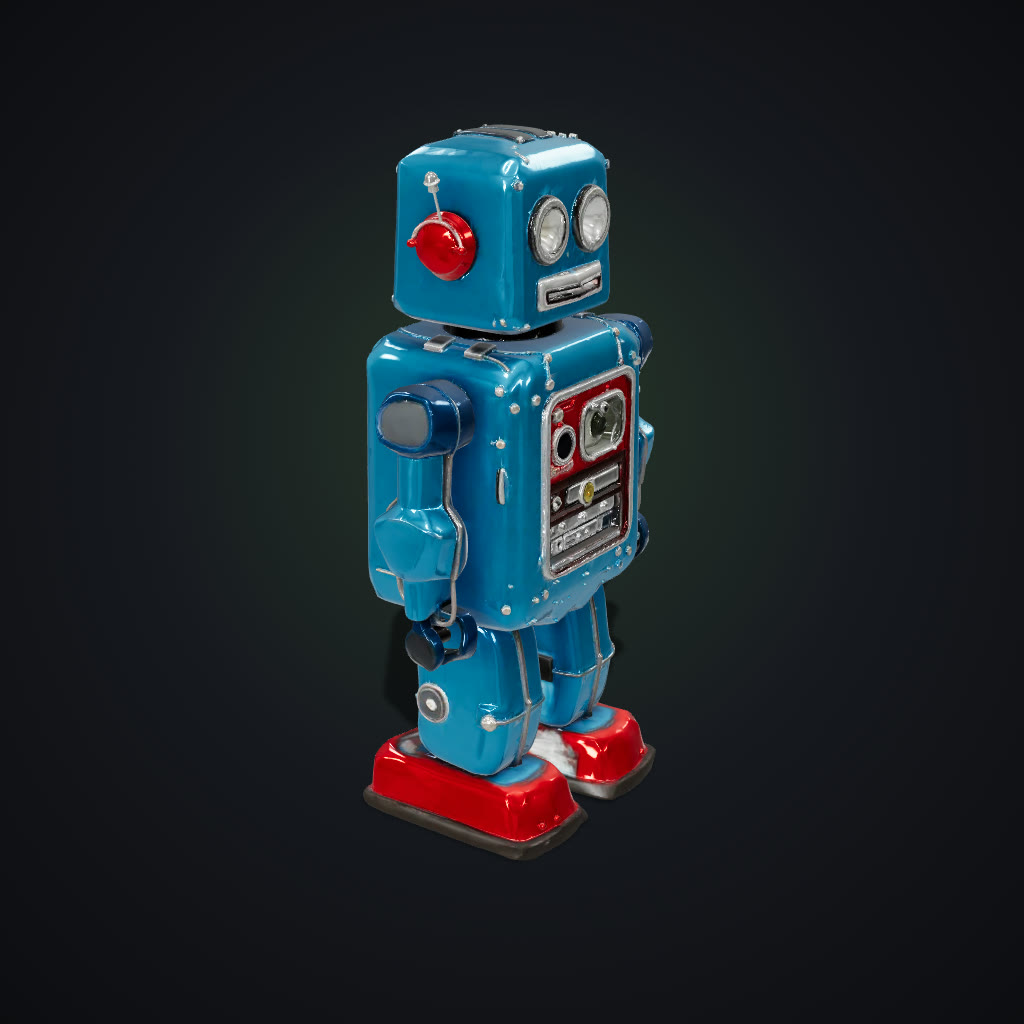 AI-generated
Tin robot toy
“a retro tin robot toy with round glass eyes, two antennas, a dial on its chest and red feet, painted metal”
Tripo H3.1 · 1.4M triangles
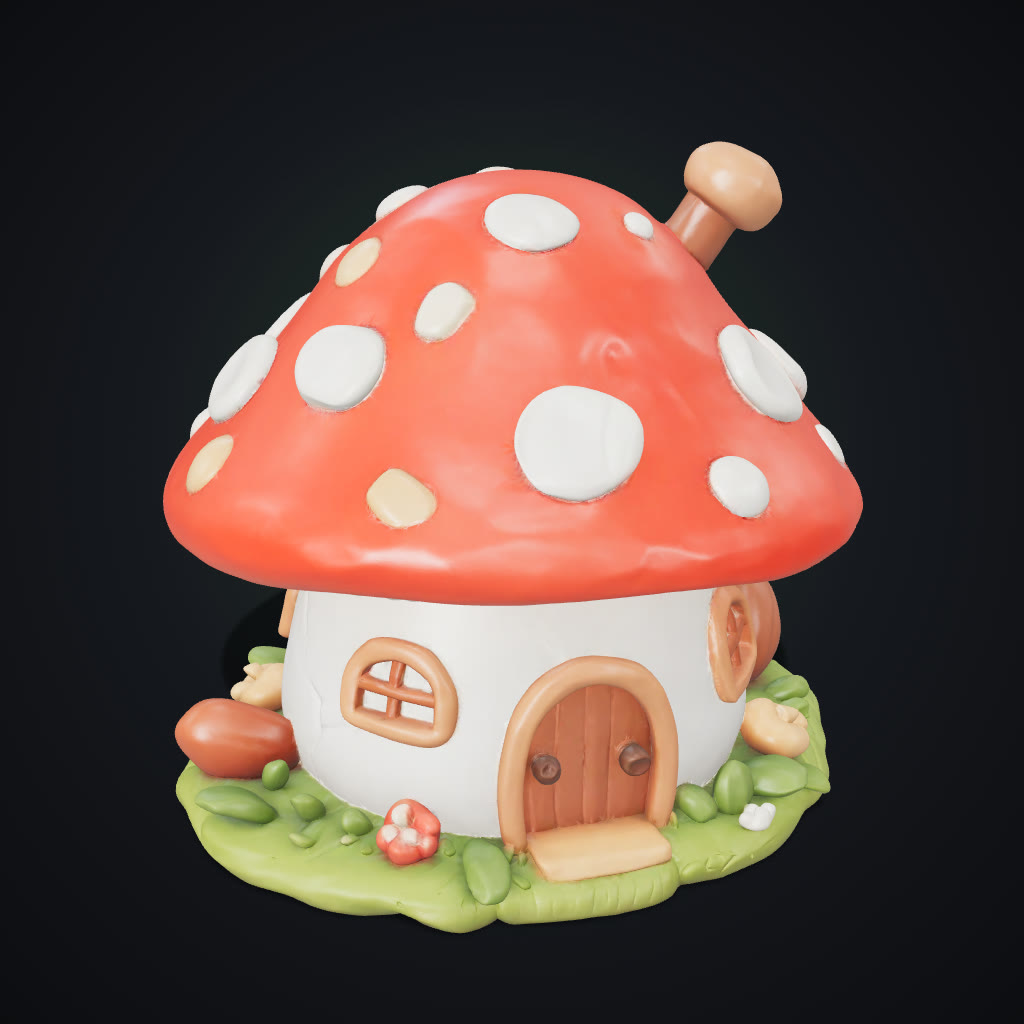 AI-generated
Mushroom house
“a cute fairy mushroom house with a red spotted roof, a round wooden door and tiny windows, ceramic miniature”
Tripo H3.1 · 1.5M triangles
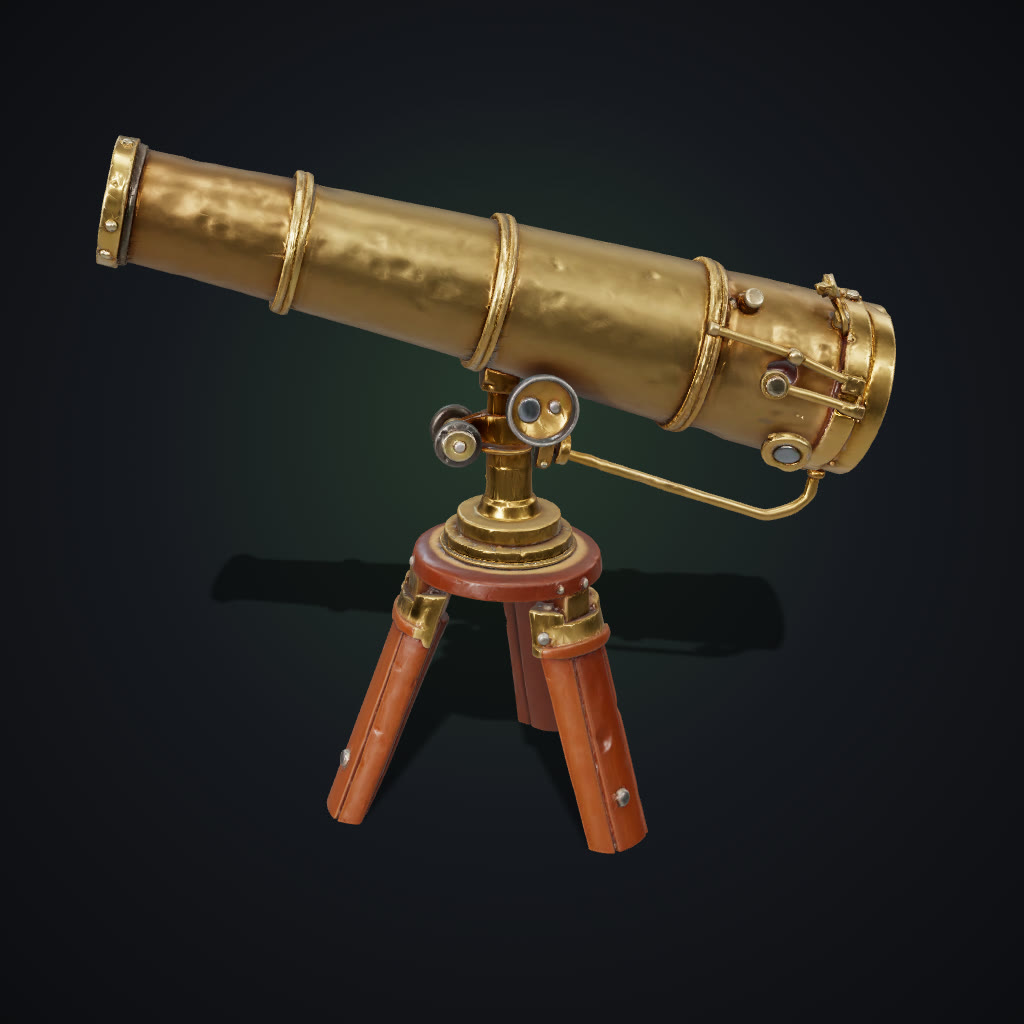 AI-generated
Brass telescope
“a vintage brass telescope on a wooden tripod, polished metal and dark wood”
Tripo H3.1 · 1.5M triangles
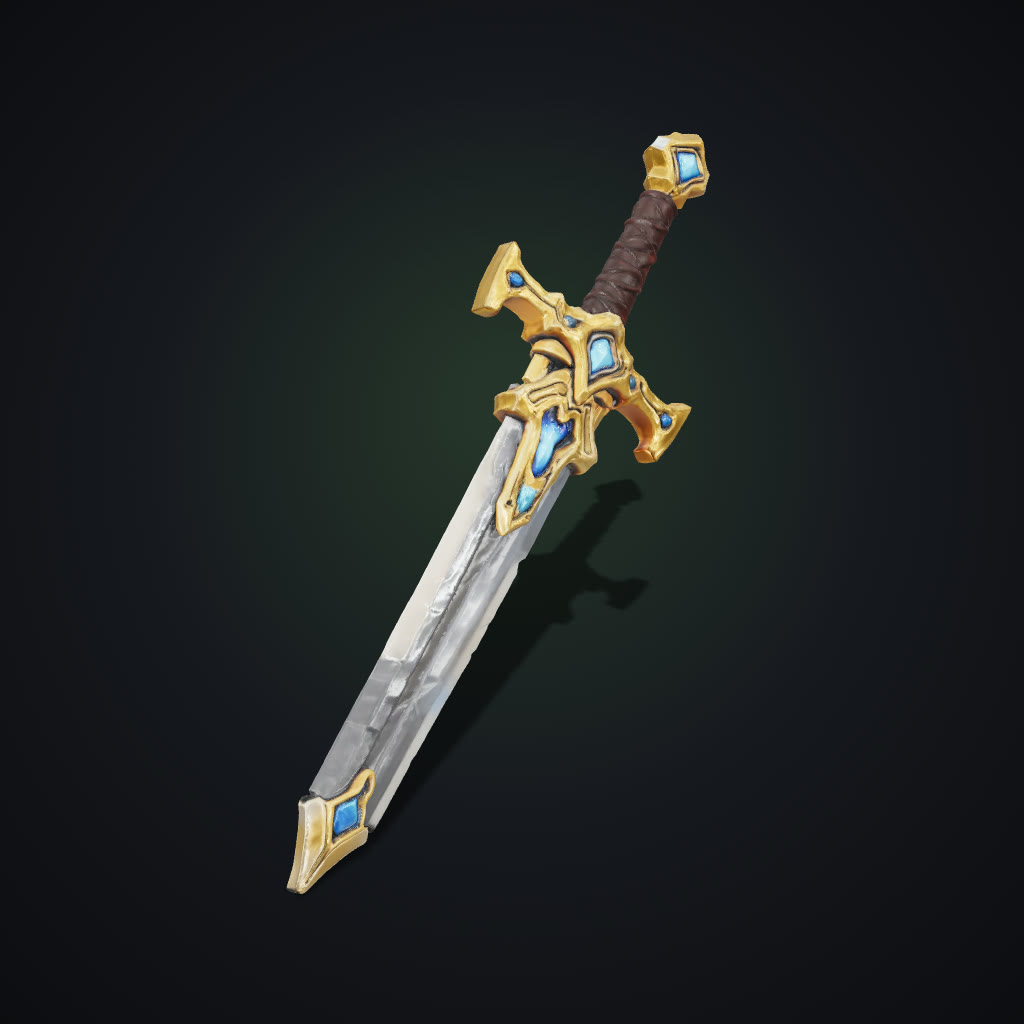 AI-generated
Fantasy sword
“an ornate fantasy sword with a gold crossguard, a leather-wrapped grip and a glowing blue gem in the pommel”
Tripo H3.1 · 1.5M triangles
Text to 3D prompts that work
One object, its material, its style. Copy a prompt, paste it into Text mode above and change the nouns.
Tin robot toy
a retro tin robot toy with round glass eyes, two antennas, a dial on its chest and red feet, painted metal
Material + era words (tin, retro) set both shape and paint.
Fantasy sword
an ornate fantasy sword with a gold crossguard, a leather-wrapped grip and a glowing blue gem in the pommel
Name each part you care about; the engine models them separately.
Mushroom house
a cute fairy mushroom house with a red spotted roof, a round wooden door and tiny windows, ceramic miniature
“Miniature” gives chunky, printable proportions.
Brass telescope
a vintage brass telescope on a wooden tripod, polished metal and dark wood
Two materials, clearly separated, give crisp PBR maps.
Treasure chest
a wooden treasure chest with iron bands and a heavy padlock, stylized game prop
“Game prop” keeps the shape bold and readable.
Potted succulent
a small succulent in a round terracotta pot with pebbles on the soil
Great for printing planter-style objects.
Chess knight
a chess knight piece carved from white marble, classic Staunton style
Single material, strong silhouette: prints beautifully.
Viking helmet
a weathered viking helmet with a nose guard and riveted iron bands
“Weathered” adds scratches and edge wear to the texture.
Vintage camera
a 1960s rangefinder film camera, black leatherette and chrome, detailed lens
Era + material words drive realistic detail.
Axolotl plush
a soft pink axolotl plush toy with fluffy gills and a happy face
“Plush” gives soft, rounded forms and fabric texture.
Sci-fi crate
a sci-fi cargo crate with glowing orange panels, hazard stripes and handles, game asset
Glowing parts become emissive-looking texture areas.
Dragon on a rock
a small green dragon perched on a mossy rock, wings folded, collectible figurine
Base + figure in one prompt makes a stable print.
Oil lantern
an old iron oil lantern with a glass chimney and a carrying handle
Classic prop with see-through parts modelled as solid glass.
Stylized pine tree
a stylized low-poly pine tree with layered branches on a small round base
“Low-poly” steers toward clean, faceted geometry.
Anatomy of a good 3D prompt
Object
“a vintage telescope”
One thing, named plainly.
Parts
“on a wooden tripod”
Each named part gets modelled.
Material
“polished brass, dark wood”
Drives the PBR texture maps.
Style
“realistic / toy / low-poly”
Sets proportions and detail.
Prompt to 3D model in three steps
How text to 3D works, what it is good for, how to write prompts that produce clean models, and the questions people ask first.
How it works
- 1
Describe one object
Name the object, its material and its style in one sentence: “a vintage brass telescope on a wooden tripod, polished metal and dark wood”.
- 2
Generate
The Pro engine designs the object and builds it in 3D with PBR textures in about four minutes. Turn on Ultra detail for finer geometry.
- 3
Inspect and download
Rotate it, check the wireframe and clay views, then download GLB, STL, OBJ with texture, or USDZ.
What you can use it for
Props on demand
Swords, crates, lanterns, potions, furniture: fill a scene without modelling each piece.
Print ideas
Describe a planter, an ornament or a figurine and send the STL straight to your printer.
Concept exploration
Try five versions of an object in the time it takes to model one, then refine the winner.
Prototyping
Block out a product shape to check proportions before committing to CAD.
Features
- One sentence in, textured 3D model out
- PBR materials: colour, roughness and metal
- Ultra detail mode for finer geometry and textures
- Optional quad topology for Blender and Maya
- GLB, STL, OBJ + texture and USDZ downloads
- Prompt library built from real generations
- Every model saved to your library
- Credits refunded automatically if a model fails
Tips for the best results
- One object per prompt: “A lantern” works; “a lantern on a table in a tavern” adds a table and a room you will have to cut away.
- Name the material: Brass, oak, ceramic, painted tin, marble: material words drive both the texture and the surface detail.
- Give it a style: Stylized, realistic, low-poly, toy, miniature. The style word decides proportions and how much detail is modelled.
- Skip text and logos: Lettering rarely survives the 3D step. Leave it out and add decals afterwards.
Why text to 3D beats searching model libraries
Stock model sites have the common objects, in someone else’s style. A prompt gives you the exact object you had in mind: the colour, the material, the mood. And because the result is a real mesh, it drops into the same tools as any downloaded model.
Frequently asked questions
How does text to 3D work?
The engine first designs the object described in your prompt, then reconstructs it as a textured 3D mesh. You only write the prompt.
How long should my prompt be?
One or two sentences. Name one object, its material and its style. Longer scene descriptions add clutter you will have to remove.
Can I 3D print a model made from text?
Yes. Download STL; it is exported upright and 100 mm tall for any slicer.
Which formats can I download?
GLB with textures, STL for printing, OBJ in a ZIP with its material and texture, and USDZ for AR.
Can I edit the model afterwards?
Yes. Open the GLB or OBJ in Blender or any 3D tool. Turn on Quad mesh for cleaner topology to edit.
Why did my model come out as a scene, not an object?
The prompt probably described a setting. Remove the room, table or background and describe only the object.
Who can use it?
Adults (18+) with an active subscription or credits. It is built for objects, props, creatures and fictional characters. Only upload photos you have the rights to use; images showing anyone under 18 are blocked before any credits are charged.
How much does it cost?
4 credits per model, or 10 with Ultra detail. The price is on the Generate button before you start.
Explore more AI photo tools
Image Editor
Edit any photo with a text prompt
3D Model Generator
Photo to 3D model, GLB & STL
Image to STL
Photo to a print-ready STL
3D Game Assets
Low-poly props from one image
AI Headshots
Pro headshots from a selfie
AI Interior Design
Redesign any room from a photo
Object Remover
Brush away anything in a photo
Image Extender
Uncrop & expand any photo
Photo Restoration
Restore & colorize old photos
Background Remover
Transparent PNG in one click
Skin Enhancer
Natural one-click retouch
Change Camera Angle
New views of one photo
Mockup Generator
Your design on any product
See the full AI image tools collection or open the AI Image Studio.