


AI Image Studio · Mockup Generator
AI Mockup Generator: Your Design on Any Product
No template library to dig through. Upload your design, describe the product and the scene in a sentence, and get a photorealistic mockup with the design wrapped, lit and shadowed correctly.
About the Mockup Generator
Template mockups only show the products someone else photographed. The AI mockup generator starts from your design and a sentence: "on a black hoodie worn by a person on a city street", "printed on a matte white mug on a wooden desk". It places the artwork on the product, follows folds and curves, and matches the light of the scene.
It is the fastest way to show a client a logo in context, test merchandise ideas before ordering samples, or fill a store page with lifestyle shots of products that do not exist yet.
Before and after
Real results from the tool above. Originals on the left, output on the right.
 Before
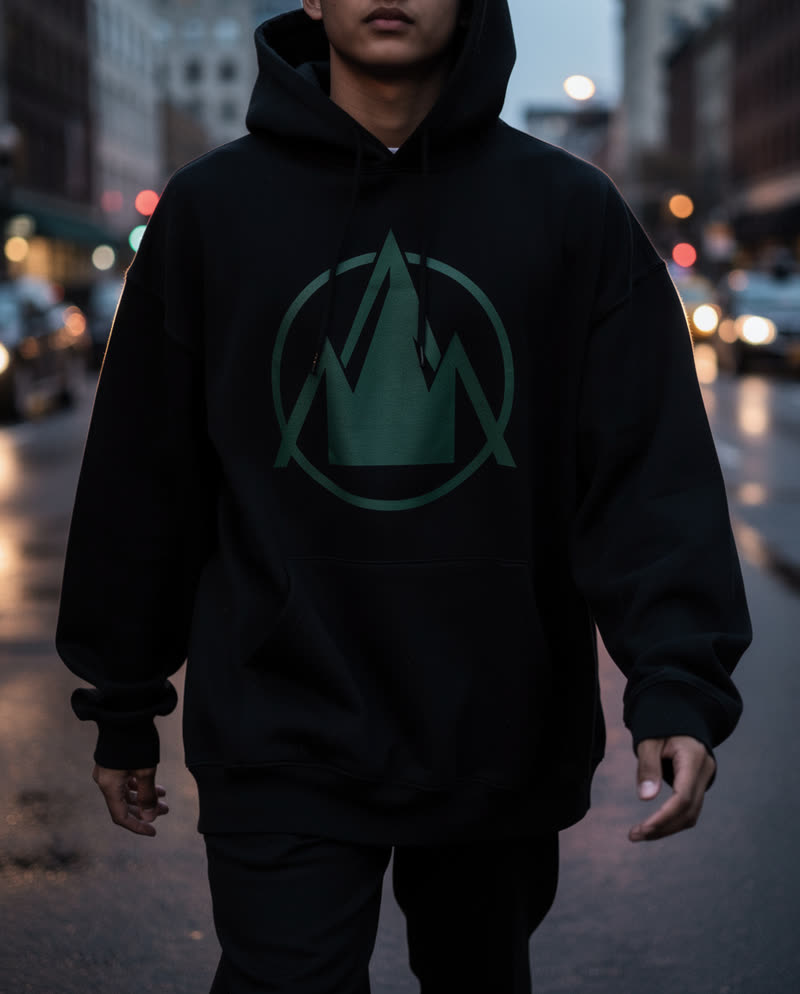 AI-generated
Logo on a hoodie
“Place the design large on the chest of a black oversized hoodie…”
 Before
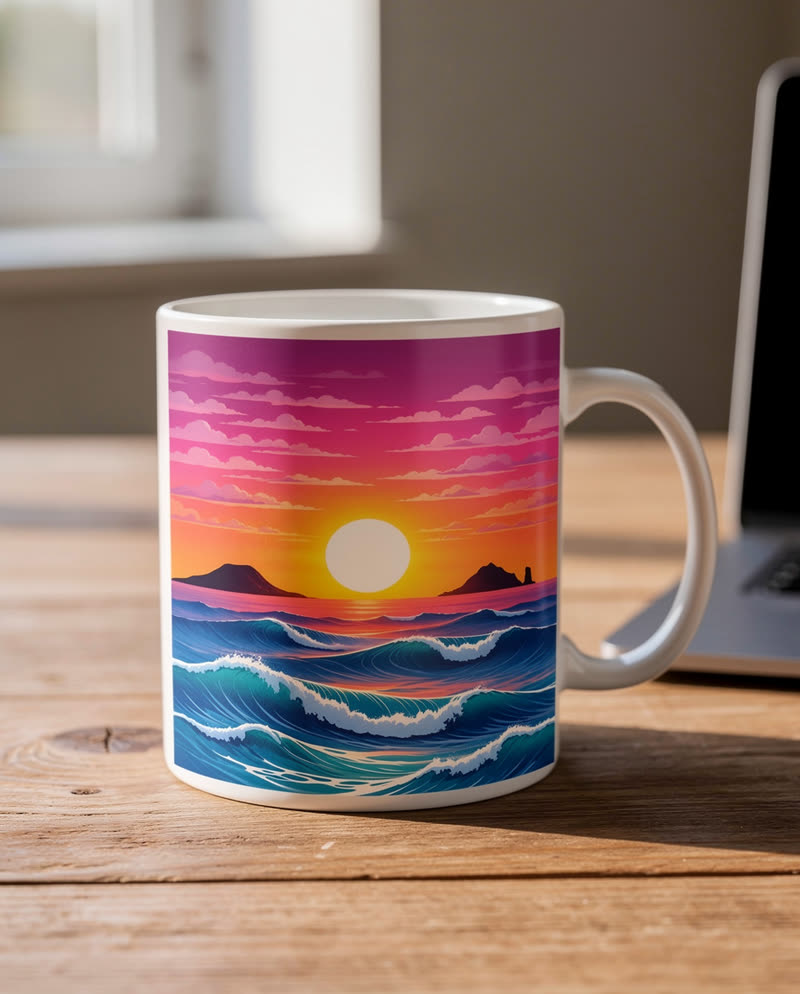 AI-generated
Artwork on a mug
“Print the design on a matte white ceramic mug on a wooden desk…”
Mockup prompts to start from
Upload your design, paste a prompt, and swap the product or setting to match your brand.
Streetwear hoodie
Place the design large on the chest of a black oversized hoodie worn by a person walking down a city street at dusk. Realistic fabric folds and print texture.
Coffee mug on a desk
Print the design on a matte white ceramic mug on a wooden desk next to a laptop, soft morning window light, shallow depth of field.
Tote bag lifestyle
Screen-print the design on a natural canvas tote bag carried over a shoulder at a farmers market. Natural daylight.
Framed poster
Show the artwork as a framed poster in a thin black frame on a light grey wall above a sofa, soft afternoon light.
Product box
Apply the design to a matte kraft cardboard box on a white studio surface, three-quarter view, soft shadow.
Storefront sign
Show the logo as a backlit sign above a small cafe storefront at night, warm light spilling onto the pavement.
Phone case
Print the design on a glossy phone case held in a hand, clean studio background, soft reflections.
Embroidered cap
Embroider the logo on the front of a navy baseball cap on a white surface, visible stitch texture, soft light.
Mockups from a sentence
Your design, any product, any scene. Below: how the mockup generator works, where it saves the most time, and prompts that give the most convincing results.
How it works
- 1
Upload your design
A logo, illustration or pattern as PNG or JPG. Transparent PNGs place most cleanly.
- 2
Describe the product and scene
Say what the design goes on and where it is, or copy a prompt from the library. 7 credits per mockup.
- 3
Generate and download
Get a photorealistic mockup in seconds; tweak the prompt for more products and angles.
What you can use it for
Merch and print on demand
Show shirts, hoodies, mugs and bags before ordering a single sample.
Client presentations
Put a new logo on signage, packaging and uniforms to sell the concept.
Store listings
Lifestyle images for product pages and ads without a photo session.
Packaging concepts
Test box, bottle and label designs in realistic scenes.
Features
- Any product, described in words
- Design follows folds, curves and perspective
- Lighting and shadows matched to the scene
- Lifestyle and studio settings
- Works with logos, illustrations and patterns
- Download or keep editing in the studio
Tips for the best results
- Upload the design on a transparent background for the cleanest placement.
- Name the material ("matte ceramic", "heavy cotton", "kraft cardboard"); it changes how the print looks.
- Say where the design sits ("large on the chest", "small on the left pocket").
- Generate a studio shot and a lifestyle shot of the same product for a complete listing.
Why use an AI mockup generator
Template packs limit you to the products and angles someone else shot. Describing the mockup gives you any product, any setting and any angle, in the same studio where you can edit, upscale or animate the result. Every mockup is marked as AI-generated so it is clear to buyers what they are looking at.
Frequently asked questions
How does the AI mockup generator work?
Upload your design, describe the product and the setting, and the generator places the design on the product with realistic folds, perspective, light and shadow.
Which products can I mock up?
Anything you can describe: apparel, mugs, bags, posters, packaging, signage, phone cases, stationery and more.
How much does a mockup cost?
7 credits per mockup, shown before you confirm.
What file should I upload?
A PNG or JPG of the design. A transparent PNG gives the cleanest result.
Can I use mockups in my store?
You own what you generate. Commercial usage rights vary by plan and feature, so check section 7 of our Terms, and label mockups as illustrations where marketplace rules require it.
Are there content rules?
Yes. GoCrazyAI is for adults (18+). Designs you upload must be yours or licensed to you, and uploads are checked automatically.
Explore more AI photo tools
Image Editor
Edit any photo with a text prompt
3D Model Generator
Photo to 3D model, GLB & STL
Image to STL
Photo to a print-ready STL
Text to 3D
Describe it, get a 3D model
3D Game Assets
Low-poly props from one image
AI Headshots
Pro headshots from a selfie
AI Interior Design
Redesign any room from a photo
Object Remover
Brush away anything in a photo
Image Extender
Uncrop & expand any photo
Photo Restoration
Restore & colorize old photos
Background Remover
Transparent PNG in one click
Skin Enhancer
Natural one-click retouch
Change Camera Angle
New views of one photo
See the full AI image tools collection or open the AI Image Studio.