

AI Image Studio · Remove Background
AI Background Remover: Transparent PNG in One Click
Upload a photo and get the subject cut out on a transparent background in seconds. Hair, fur and fine edges included, no brush and no selection tool.
About the Background Remover
Cutting a subject out used to mean a pen tool and ten minutes of zooming in on hair. The background remover does it in one pass: it finds the main subject (a person, a product, a pet, a car), separates it from everything behind it, and returns a transparent PNG.
Because the result is transparent, it drops straight onto any colour, a new scene, a product listing template or a design canvas. If you want a new background rather than none, send the cut-out to the AI Image Editor and describe the scene.
Before and after
Real results from the tool above. Originals on the left, output on the right.
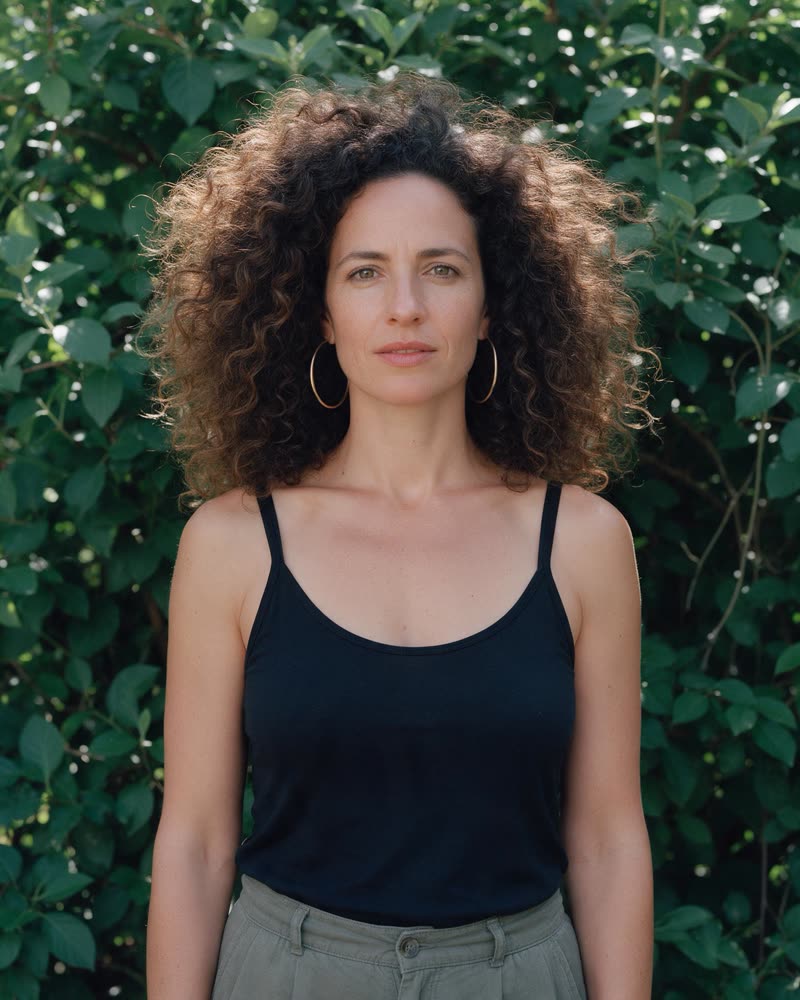 Before
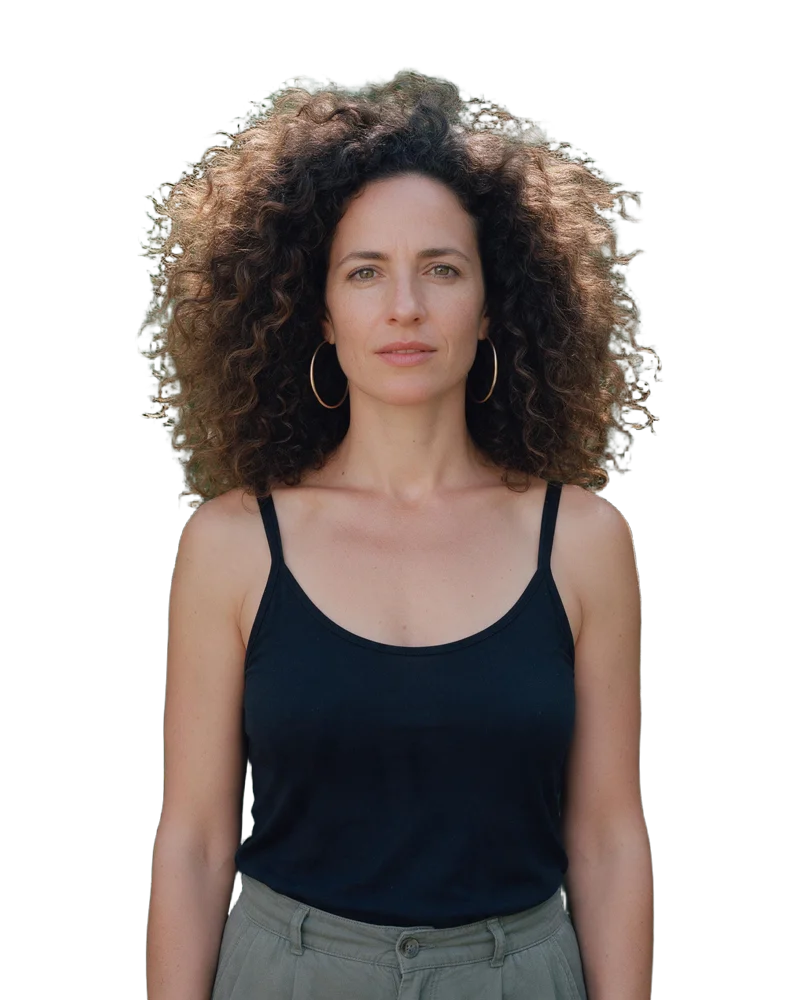 AI-generated
Curly hair against foliage
One click. Fine curls kept, the busy background removed.
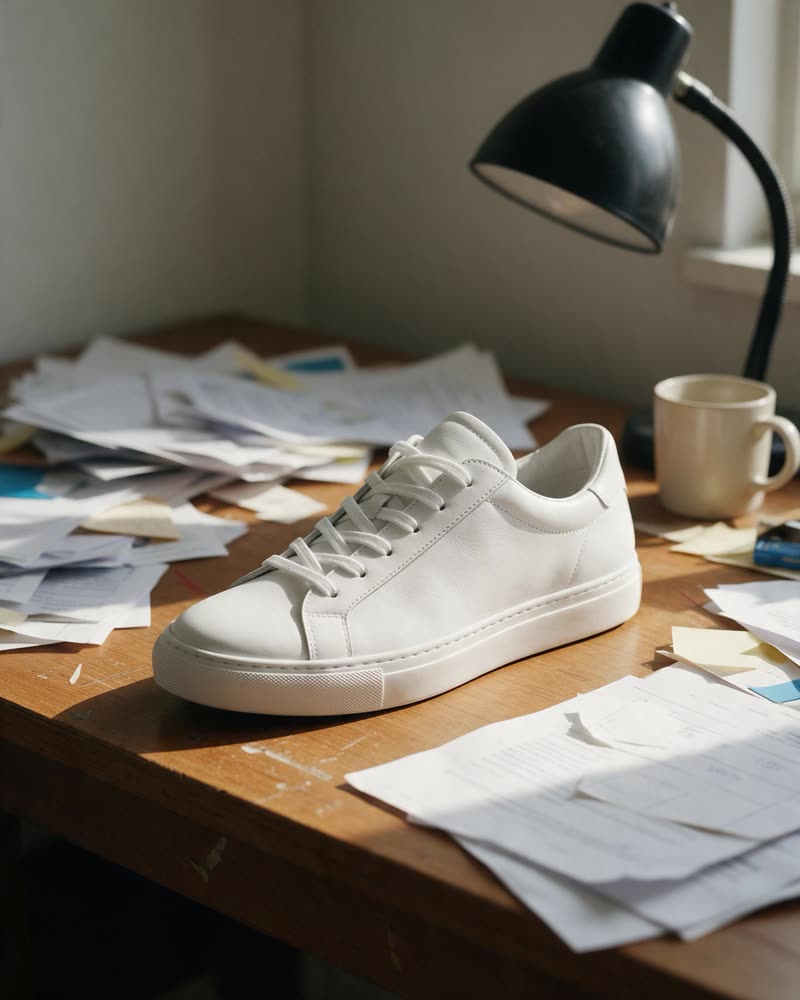 Before
 AI-generated
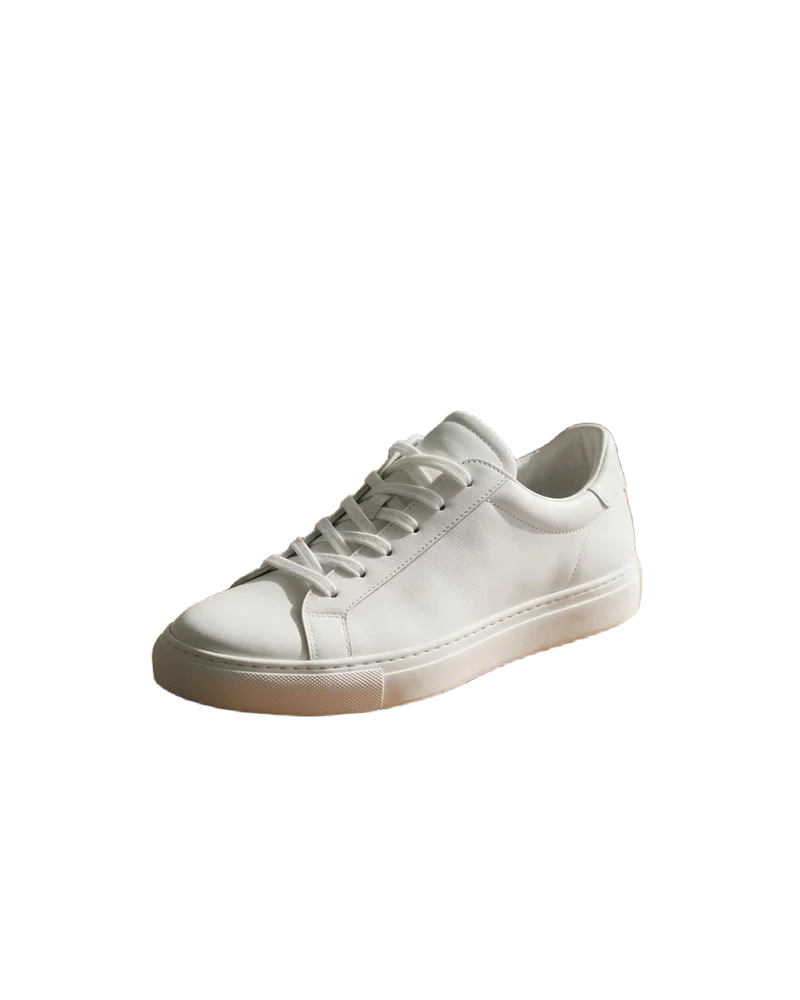
Product on a busy desk
Clean cut-out ready for a listing template.
Remove any background in one click
One upload, one click, one transparent PNG. Below: how it works, where a clean cut-out saves the most time, and tips for the sharpest edges.
How it works
- 1
Upload a photo
Drop in a JPG, PNG or WebP, or pick one of your recent creations.
- 2
Click Remove Background
The subject is detected and separated automatically. The cost (2 credits) shows before you confirm.
- 3
Download the PNG
Save the transparent PNG, or send it on to the editor to place it on a new background.
What you can use it for
Product listings
Consistent cut-outs for shop listings and marketplaces that require a plain background.
Design and print
Drop subjects onto posters, flyers, merchandise and slides without a halo.
Profile pictures and headshots
Put yourself on a clean colour or a branded backdrop in seconds.
Thumbnails and covers
Isolate the subject so it pops against bold colour and big text.
Features
- One-click subject detection
- Clean edges on hair, fur and fine detail
- Transparent PNG output
- Works on people, products, pets, cars and objects
- Pick from your recent creations or upload
- Send the result straight to the editor or to video
Tips for the best results
- Use a photo where the subject is in focus. Sharp edges in give sharp edges out.
- Contrast helps: a dark subject on a light background (or the reverse) separates most cleanly.
- Crop out other large objects first if you only want one of several subjects.
- For a new scene instead of transparency, open the result in the AI Image Editor and describe the background you want.
Why use GoCrazyAI to remove backgrounds
The background remover sits inside the same studio as the image editor, the upscaler and the video tools, so a cut-out is one click away from a new scene, a higher resolution or an animated clip. It handles hair and fur without manual masking, and marks every result as AI-processed so it is safe to publish.
Frequently asked questions
How do I remove the background from an image?
Upload the photo above and click Remove Background. The subject is cut out automatically and you download a transparent PNG a few seconds later.
What format is the result?
A PNG with a transparent background, ready to place on any colour or scene.
How much does it cost?
2 credits per image. The cost is shown before you confirm.
Does it work on hair and fur?
Yes. The model is trained for fine edges like hair, fur and fabric fringes. Very blurry edges in the original will stay soft.
Can I replace the background instead of removing it?
Yes. Send the cut-out to the AI Image Editor and describe the new background, for example "a white marble counter with soft window light".
Whose photos can I use?
Your own photos, product shots, and photos of adults who have agreed to it. GoCrazyAI is for adults (18+) and uploads are checked automatically.
Explore more AI photo tools
Image Editor
Edit any photo with a text prompt
3D Model Generator
Photo to 3D model, GLB & STL
Image to STL
Photo to a print-ready STL
Text to 3D
Describe it, get a 3D model
3D Game Assets
Low-poly props from one image
AI Headshots
Pro headshots from a selfie
AI Interior Design
Redesign any room from a photo
Object Remover
Brush away anything in a photo
Image Extender
Uncrop & expand any photo
Photo Restoration
Restore & colorize old photos
Skin Enhancer
Natural one-click retouch
Change Camera Angle
New views of one photo
Mockup Generator
Your design on any product
See the full AI image tools collection or open the AI Image Studio.