



Genre guide
Synthwave Music Guide
A practical overview of synthwave music and how to make short cinematic tracks for playlists, drives and soundtrack use.
5 free songs with every monthly subscription
Hear real examples
Every track below was generated with this tool — press play, then make yours.
Hear the album
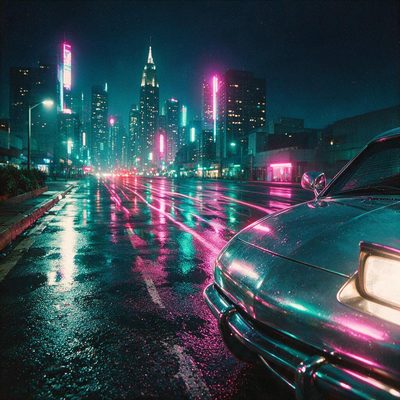
Neon City Synthwave
Midnight drives, neon arps, cinematic synths
This synthwave music guide covers the classic elements producers and playlist curators look for: analog-style arps, gated drums, warm pads and occasional breathy vocal hooks. Synthwave stands out for its cinematic textures and compact cues suited to late-night driving playlists and retro-curation windows.
Use these notes to shape quick originals or to brief a one-line prompt: mention mood, a dominant instrument, a tempo range and whether you want a vocal tag. For placement ideas, see related pages like /late-night-drive and /cinematic.
Song ideas to start from
How it works
- 1
Describe your song
Type one sentence — the person, the story, the vibe — or start from an example above. Any language works.
- 2
Pick a style and length
Vocals or instrumental, any genre, from a 15-second hook to a full-length track. Or write every lyric yourself in the studio.
- 3
Generate, download, share
Your song renders in minutes with cover art and its own page. Download it, or send it as a private gift link with their name and your message.
What people want from synthwave music
Listeners and playlist curators often seek tracks that fit specific moments: a short cue for a driving montage, a moody instrumental for a nighttime scene, or a brief vocal hook to anchor a playlist. Successful synthwave pieces balance retro textures with modern production clarity.
Keep arrangements concise and distinctive: clear arpeggio motifs, a memorable lead timbre, and rhythmic gating are recurring needs. Avoid overly long ambient washes for playlist placement; editors prefer tracks with identifiable entry and exit points.
How to make a synthwave track in one line
Start with the mood, a primary instrument, and a usage note: for example, “Midnight drive, gated drums, neon arps, short breathy chorus.” The platform turns that single line into a full track in about 1–3 minutes.
Practical product details: a monthly subscription unlocks 5 free songs (a one-time bonus); after that, songs cost 5 credits each. Generation is fast, so iterate on concise prompts until you land the desired mood.
Styles that fit the synthwave label
Choices range from bright retro arps and upbeat bass to cinematic slow-build pads and vaporwave textures. Select instrumentation and BPM to match the intended use: faster for driving energy, slower for reflective cinematic cues.
Vocal treatments are typically sparse: short tags or breathy hooks that repeat. Instrumental options are ideal for underscore work and background placement.
Where synthwave music is used
Curated playlists, late-night drive mixes, short-form video soundtracks and film/TV cues are common placements. Think in terms of scenes and moments rather than full pop structures when drafting a prompt.
For playlist and cue ideas, reference internal pages like /late-night-drive and /cinematic to match mood and length requirements.
Frequently asked questions
How long until a song is ready?
Most full songs generate in about 1–3 minutes from a single prompt line.
What should I include in my one-line prompt?
Name the mood, primary instruments, BPM range and if you want a vocal tag (for example: “midnight drive, gated drums, neon arps, short breathy tag”).
How many free songs come with a subscription?
A monthly subscription unlocks 5 free songs (a one-time bonus); after that, additional songs cost 5 credits each.
Can I generate music for specific placements like a driving montage?
Yes — specify placement in your prompt (for example, “driving montage, urgent arp, 100 BPM”) and the system will tailor the track’s energy and structure.
Is there guidance for briefing a named track for someone else?
Include the person’s name and the mood in the same prompt (for example, “For Riley — neon boulevard, soft vocal tag”); the generator uses that line to produce a tailored result.
Takes about a minute to start. 5 free songs with every subscription.