



AI Image Studio · Upscaler
AI Image Upscaler: Upscale Any Photo to 4K or 8K, No Watermark
Turn a small, soft or compressed image into a sharp 4K or 8K file. The upscaler rebuilds real detail (eyelashes, fabric, leaves, brickwork) instead of just stretching pixels, keeps faces exactly as they were, and downloads with no watermark.
About the Image Upscaler
Stretching a small image makes it bigger and blurrier. An AI upscaler does the opposite: it studies what the picture shows and redraws the missing detail at the new size, so a 400-pixel thumbnail becomes a print-ready file with crisp edges, clean skin texture and readable structure.
We tested eight upscaling engines on the same damaged photos before choosing this one. It was the only one that was both genuinely sharp and faithful: several others made the image sharper by quietly changing the face, the eye colour or the furniture. Here, what you uploaded is what you get back, just bigger and cleaner.
Before and after
Real results from the tool above. Originals on the left, output on the right.
 Before
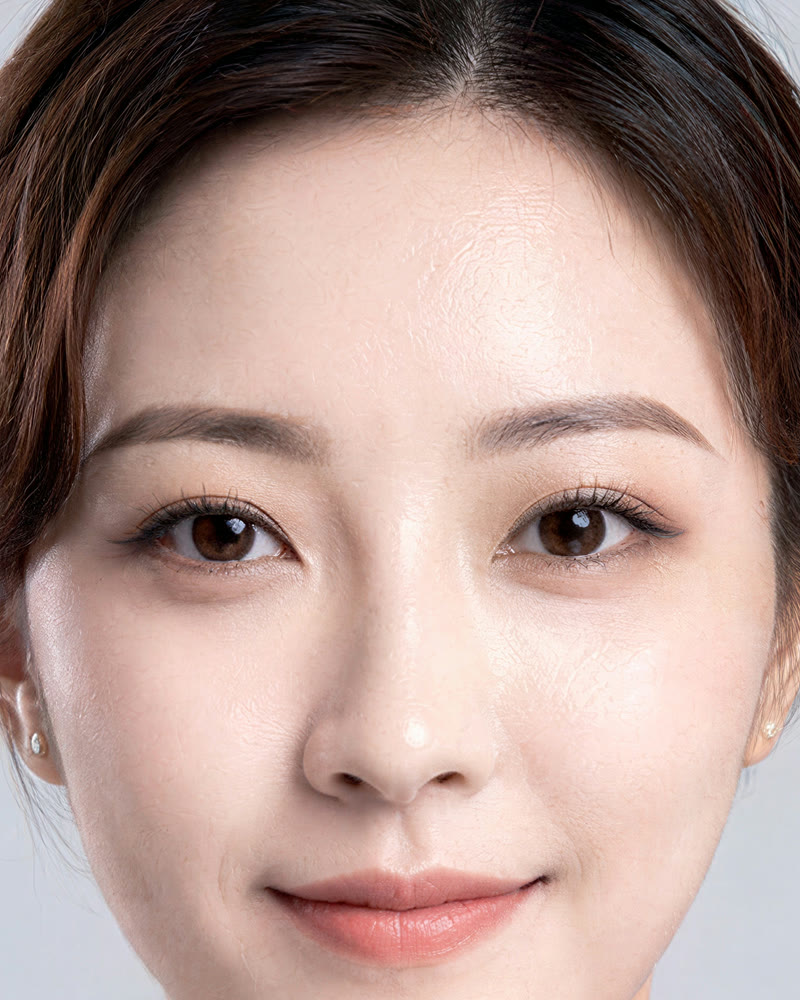 AI-generated
Portrait from a 256 px thumbnail
4K, Enhanced. Lashes, brows and skin texture rebuilt; the face is unchanged.
 Before
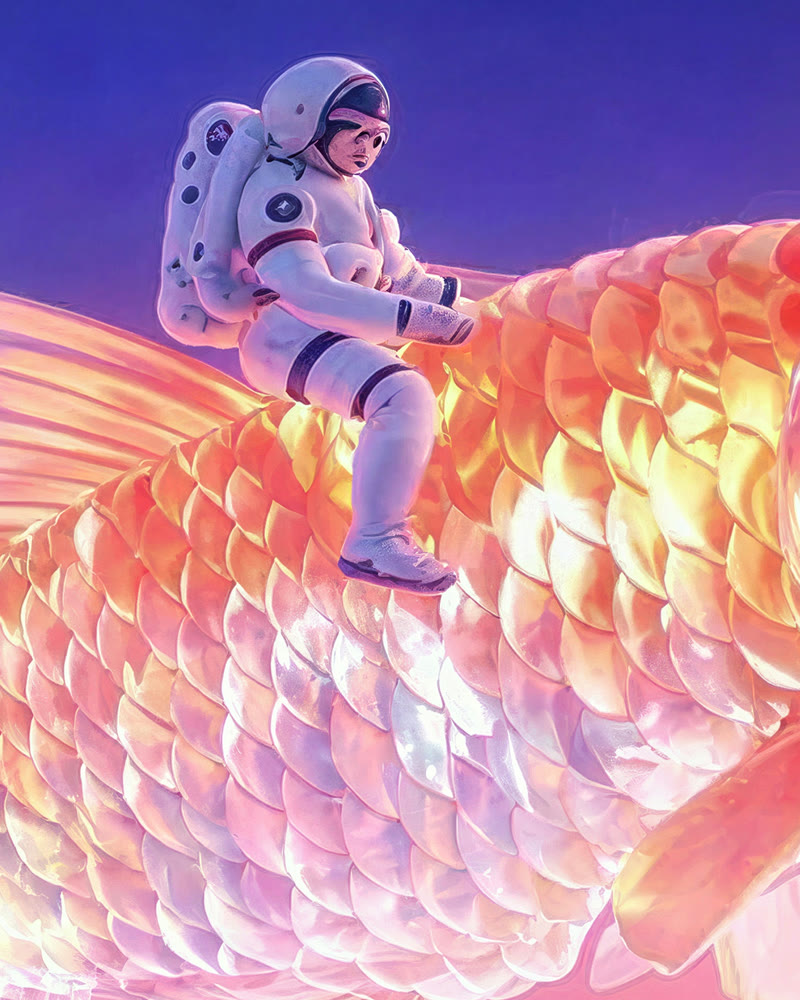 AI-generated
Digital illustration
4K, Enhanced. Scales, suit seams and edges come back clean enough to print.
 Before
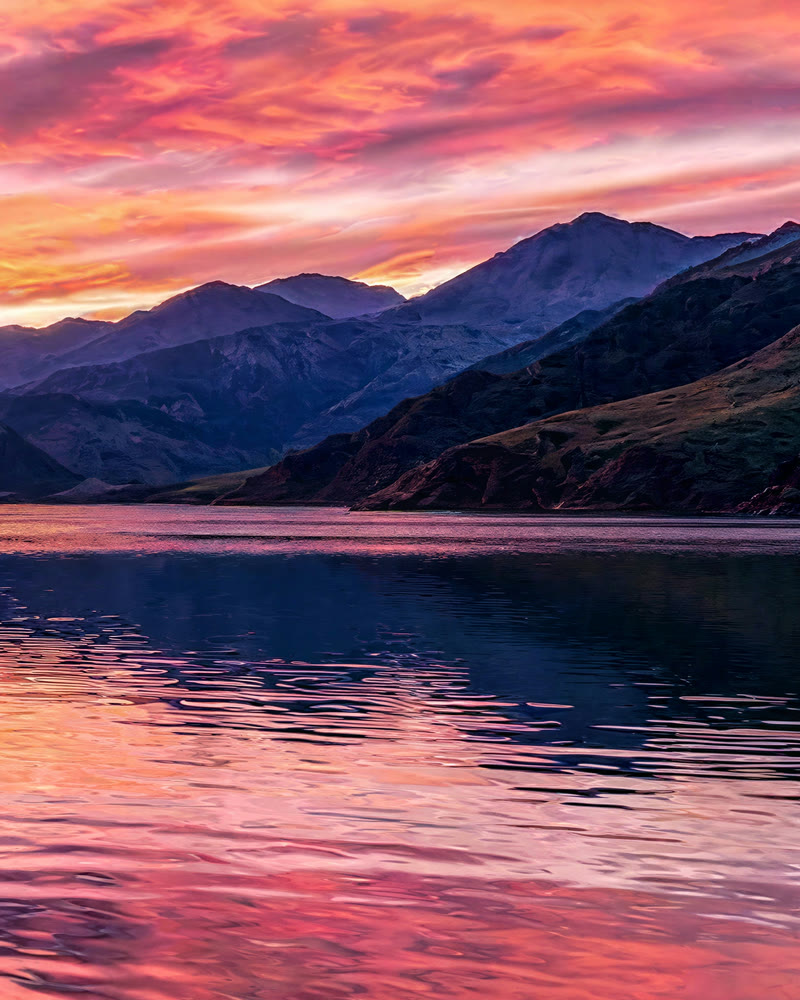 AI-generated
Landscape for a large print
4K, Enhanced. Ridge lines and water reflections sharpened without halos.
 Before
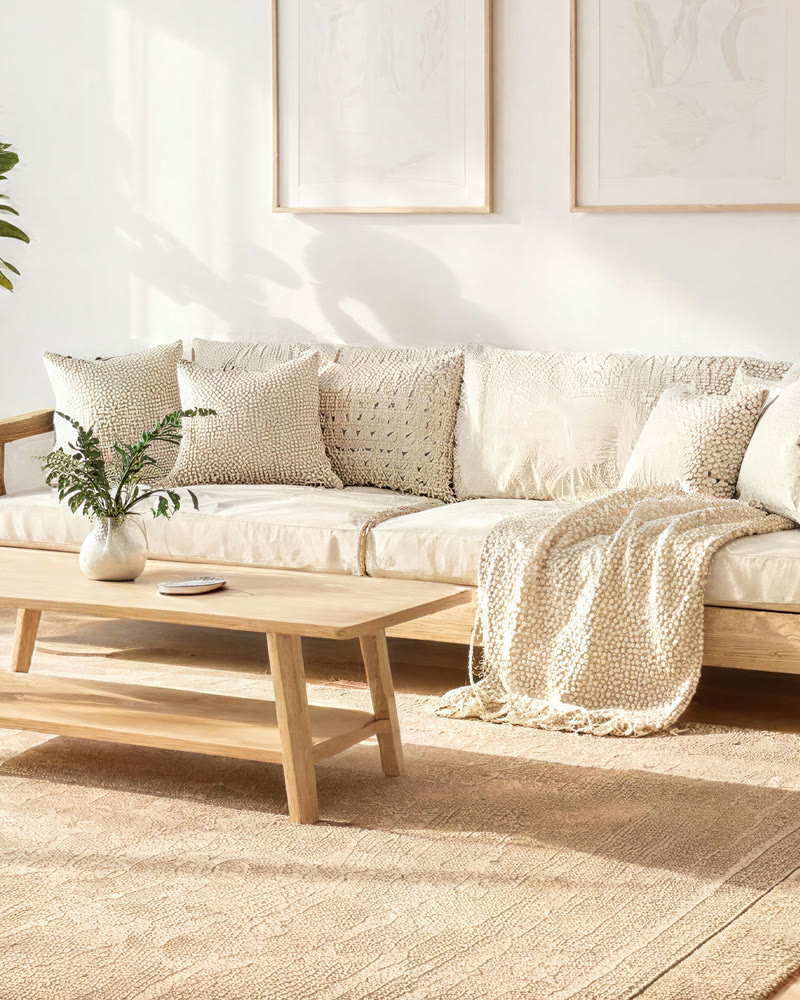 AI-generated
Interior for a listing
4K, Enhanced. Cushions, knit throw and wood grain restored from a compressed copy.
Output sizes and prices
The price depends only on the size you pick. The upscaler keeps your aspect ratio, and the tool shows the exact output pixels before you confirm.
| Size | Output | Example (16:10 photo) | Credits | Best for |
|---|---|---|---|---|
| 2K | about 4 MP | 2530 × 1581 | 1 | Web, social posts, thumbnails, fixing a soft image |
| 4K | about 16 MP | 5060 × 3162 | 4 | Wallpapers, product listings, A4 prints, video frames |
| 8K | about 33 MP | 7266 × 4541 | 13 | Posters and large prints, cropping deep into a shot |
Upscale images without losing the original
Three steps, one price per size, and a side-by-side check before you download. Below: how it works, what it is good for, how to get the sharpest result and what people ask before their first upscale.
How it works
- 1
Upload an image
JPG, PNG, WEBP or HEIC up to 30 MB, or pick one of your own creations. The tool reads its real size and shows what each output size will be.
- 2
Pick size and detail
2K, 4K or 8K, then Natural, Enhanced or Max detail. The price for the size you picked is on the button before you confirm.
- 3
Compare and download
Drag the before/after slider, zoom to 4× to inspect the detail, then download the full-resolution PNG. It is saved in your creations too.
What you can use it for
Prints and posters
Take a phone photo or a generated image to 8K so it holds up at poster size without soft edges.
Old and low-res photos
Scans, screenshots and images saved from chats come back sharp. Pair it with Photo Restoration for scratches and fading.
AI art
Most generators output around 1 MP. Upscale the keeper to 4K for wallpapers, covers and print-on-demand.
Product and listing photos
Sharpen product shots and interiors so they stay crisp when buyers zoom in.
Video starting frames
A sharper start image gives sharper AI video. Upscale first, then send it straight to the video studio.
Features
- Upscale to 2K, 4K or 8K
- Rebuilds real detail instead of stretching pixels
- Faces and identity stay the same
- Three detail levels: Natural, Enhanced, Max
- Before/after slider with 4× zoom
- Lossless PNG download with no watermark
- Saved to your creations automatically
Tips for the best results
- Start from the best copy you have. The upscaler removes compression and blur, but more real detail in means more real detail out.
- Use Natural for documents, logos and anything that must not change; Enhanced for most photos; Max detail for portraits, fabric and landscapes you want to look rich at full size.
- Pick the smallest size that does the job: 2K for the web, 4K for screens and A4, 8K only for large prints.
- Check the result at 4× zoom before you download. That is where the difference shows.
Why this upscaler
A good upscaler has two jobs: add detail, and add only the right detail. Many AI upscalers win the first and fail the second, turning a stranger into someone new or inventing objects in the background. GoCrazyAI runs the engine that won our side-by-side test on both counts, prices by output size so small jobs stay cheap, shows the result next to your original at 4× zoom, and marks every output as AI-processed so it is safe to publish.
Frequently asked questions
How does an AI image upscaler work?
It looks at what the image shows (a face, fabric, foliage, text) and redraws it at a higher resolution with the fine detail that should be there, instead of stretching the existing pixels. That is why an upscaled image looks sharp where a resized one looks soft.
Will it change the face or the content of my photo?
No. We chose this engine because it kept faces, eye colour, objects and layout the same in our tests while others did not. Natural adds nothing new; Enhanced and Max detail add texture such as pores, fibres and grain, not new features.
How much does it cost?
1 credit for 2K, 4 credits for 4K and 13 credits for 8K. The price is shown on the button before you confirm, and a failed upscale is refunded automatically.
What sizes can I upscale to?
About 4, 16 or 33 megapixels (2K, 4K, 8K), with your aspect ratio kept. A 16:10 photo comes out at about 2530 × 1581, 5060 × 3162 or 7266 × 4541. Sizes that would not make your image meaningfully bigger are greyed out.
Can it fix a blurry photo?
It fixes softness from low resolution, compression and mild blur very well. Heavy motion blur or a badly out-of-focus shot improves but cannot be fully recovered, because the detail was never captured.
How long does it take?
Usually about 20 seconds for 2K, 40 seconds for 4K and a little over a minute for 8K. Every result is saved to your creations automatically.
Is the AI image upscaler free?
No. Every upscale uses credits: 1 credit for 2K, 4 for 4K and 13 for 8K, and you see the price before you confirm. In return you get the full-resolution file with no watermark, no size cap below 8K, and an automatic refund if an upscale fails.
Does the upscaled image have a watermark?
No. The PNG you download has no watermark, logo or visible stamp on it, at any size. It carries invisible embedded metadata that labels it as AI-processed, which keeps it publishable under platform and EU transparency rules without changing a single pixel.
What file do I get?
A full-resolution PNG, with no quality loss from re-compression. It carries embedded metadata marking it as AI-processed, and it appears in My Creations for later download.
Whose photos can I upscale?
Your own images, and photos of adults who have agreed to it. GoCrazyAI is for adults (18+); every upload is checked automatically before processing, and images that may show anyone under 18 are declined.
Explore more AI photo tools
Image Editor
Edit any photo with a text prompt
3D Model Generator
Photo to 3D model, GLB & STL
Image to STL
Photo to a print-ready STL
Text to 3D
Describe it, get a 3D model
3D Game Assets
Low-poly props from one image
AI Headshots
Pro headshots from a selfie
AI Interior Design
Redesign any room from a photo
Object Remover
Brush away anything in a photo
Image Extender
Uncrop & expand any photo
Photo Restoration
Restore & colorize old photos
Unblur Image
Sharpen blurry photos
Upscale for Print
8K files at 300 DPI
Background Remover
Transparent PNG in one click
Skin Enhancer
Natural one-click retouch
Change Camera Angle
New views of one photo
Image to Prompt
Any picture to an AI prompt
Mockup Generator
Your design on any product
See the full AI image tools collection or open the AI Image Studio.