


Lithophane vs 3D Model: What “Image to STL” Really Gives You
Lithophane vs 3D model: two very different things an “image to STL” tool can make. See how each works, what each prints like and which one your picture needs.
 AI-generated
Quick Answer
In the lithophane vs 3D model question, the difference is dimensionality. A lithophane is a flat plaque whose thickness follows the brightness of your picture, so the image appears when it is backlit. A 3D model is the object from your picture rebuilt in full, which you can print as a figurine. Both are usually delivered as STL files; pick a lithophane for scenes and keepsakes and a 3D model for objects and characters.
How does a lithophane work?
 AI-generated
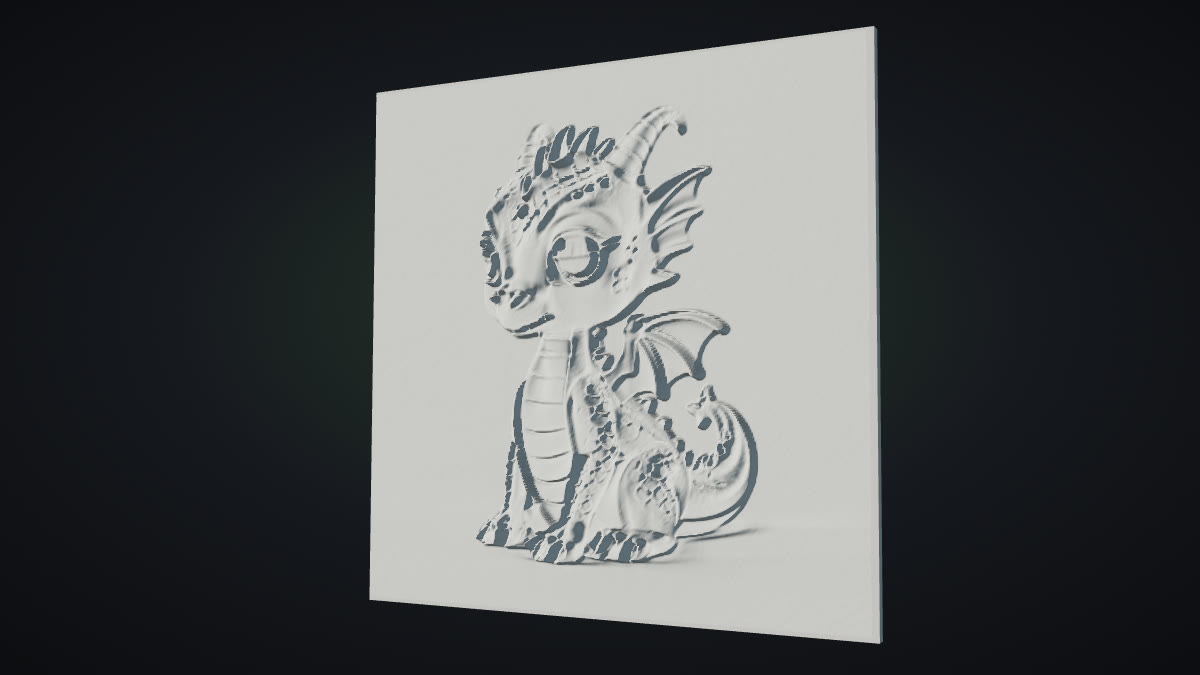
A lithophane generator reads your picture as a heightmap: dark pixels become thick plastic, light pixels become thin plastic. Printed in white filament and held in front of a lamp, thick areas block more light and thin areas glow, so the photo reappears in shades of grey. The technique is centuries old; porcelain lithophanes date back to the 1820s.
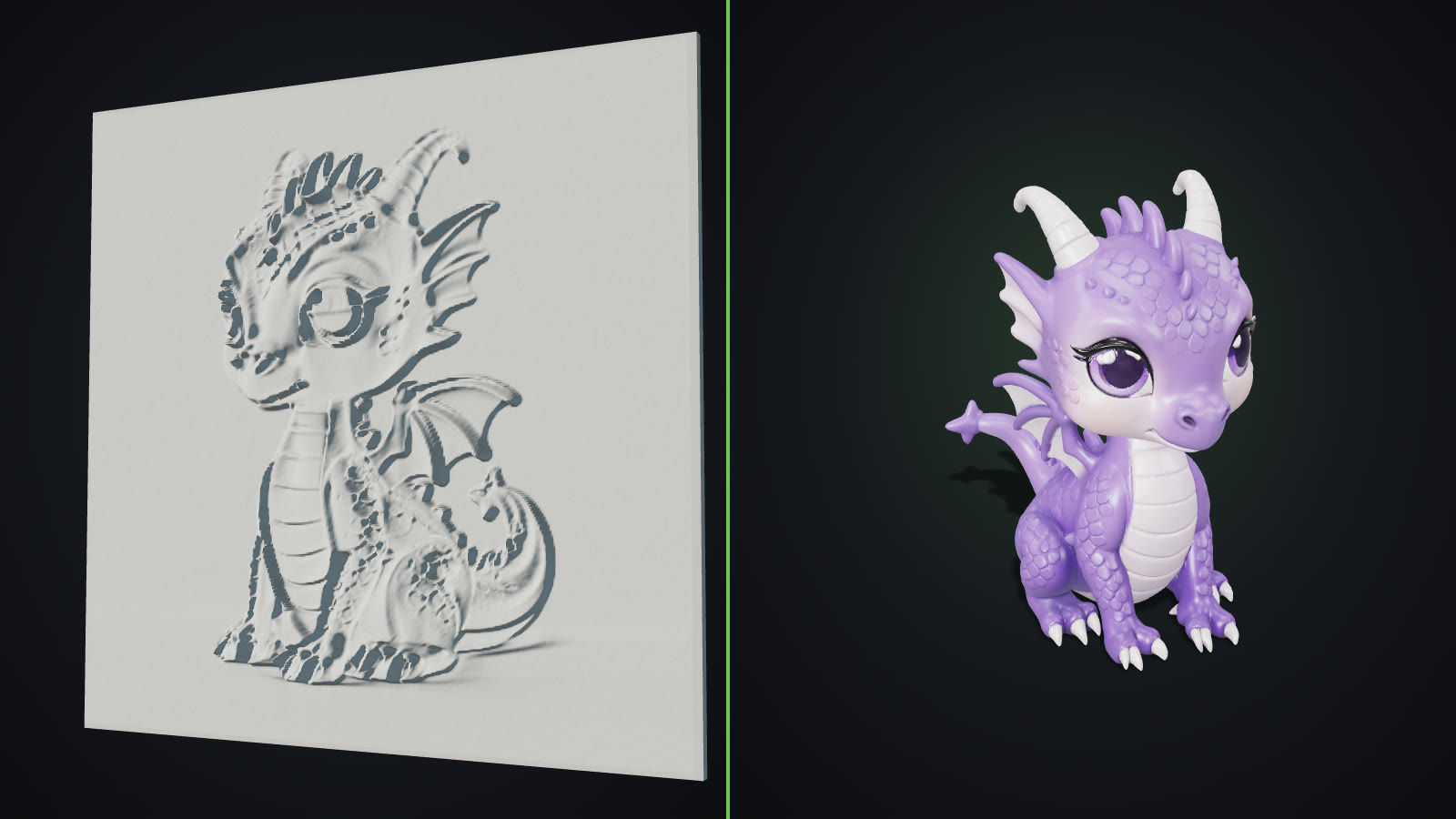
Seen from the side without light, a lithophane is a textured plaque. There is no back to the object and no sides; it is the picture, embossed.
How is a 3D model different?
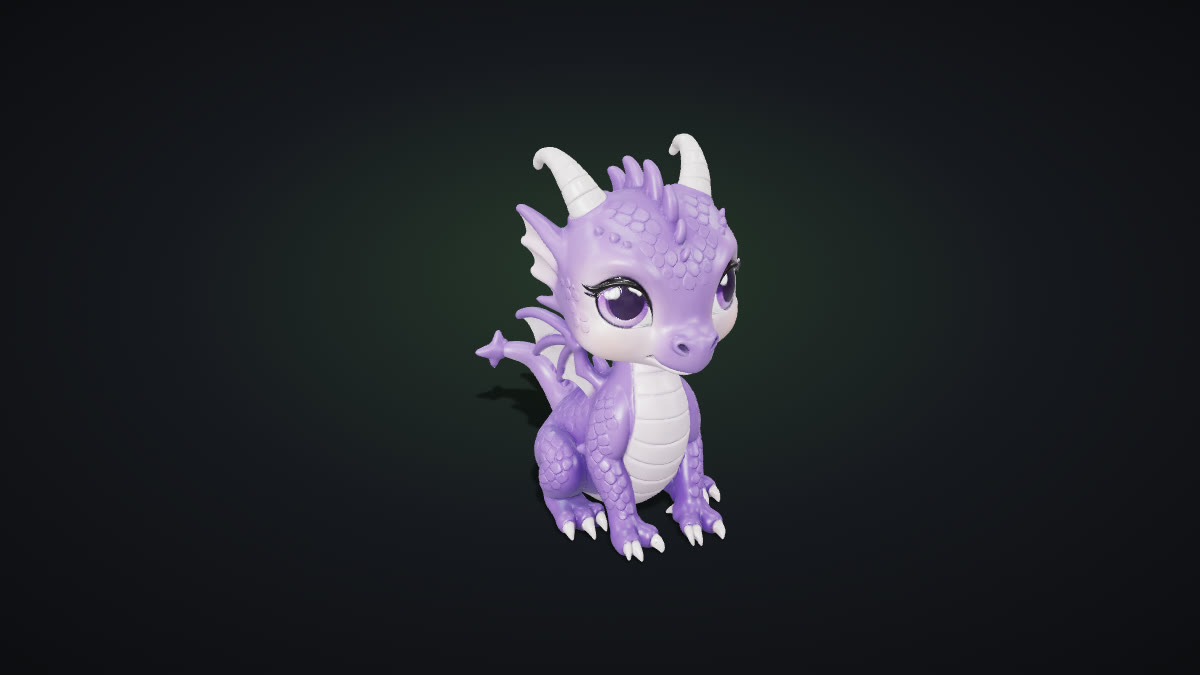
An image-to-3D model does not read brightness at all. It recognises the object in the photo, infers its shape, including the parts the camera never saw, and builds a closed mesh around it. The result is a figurine you can turn over in your hand. With a textured engine you also get the colours, which matter on screen and in AR even though an STL keeps only the shape. If you want to keep colour for printing, a format such as 3MF can carry it where your printer supports it.
 AI-generated
Lithophane vs 3D model: which one does your picture need?
Choose a lithophane when:
- The picture is a scene, a landscape or a portrait that should stay flat.
- You want a lamp shade, a night light or a window hanging.
- The value is the image itself, not an object in it.
Choose a 3D model when:
- The picture shows one object: a toy, a sculpture, a character, a product.
- You want something to stand on a shelf or a desk.
- You also want the model in a game, a web viewer or AR.
Examples: the same dragon, two prints
We took one dragon picture and showed both results. The first image in this article is a render of what a lithophane-style relief of that picture looks like: the dragon embossed into a flat panel, which would read as a greyscale photo when backlit. The second is the full 3D model generated from the same picture: a standing figurine with wings, a tail and a back, which is what most people picture when they search for "picture to 3D print". Both are valid; they are just different products.
How to do it with GoCrazyAI
For a full 3D model, open Image to STL, upload your picture and download STL: the file is upright, centred and 100 mm tall. The main AI 3D Model Generator also downloads GLB, OBJ and USDZ from the same model. The generator does not make lithophanes; for those, use a heightmap-based lithophane tool. Our step-by-step guide on how to 3D print a picture covers slicing and printing the model.
Common mistakes
- Expecting a figurine from a lithophane tool. It will always be flat. Check the tool's preview before printing.
- Printing a lithophane in colour filament. White or natural filament lets light through evenly; colours muddy the image.
- Using a busy scene for a 3D model. The model tries to include everything. Crop to one object.
- Printing a 3D model too small. Below about 60 mm, faces and fingers usually disappear.