


How to Import a GLB Into Unity, Unreal, Godot and Roblox
How to import a GLB into Unity (glTFast), Unreal Engine 5, Godot 4, Roblox Studio and Blender, with the right settings for scale, materials and triangle limits.
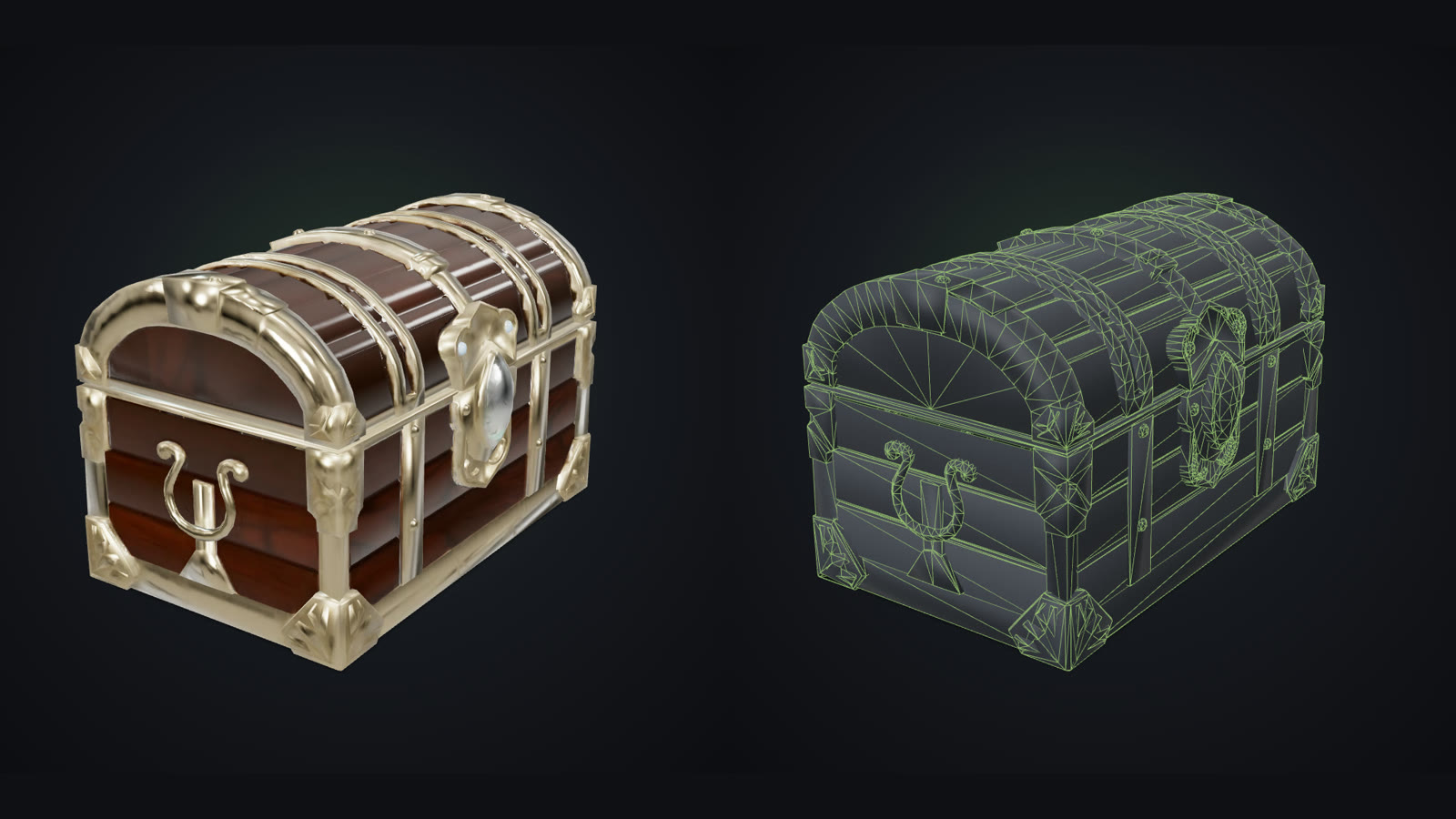 AI-generated
Quick Answer
To import a GLB into Unity, install Unity's glTFast package from the Package Manager (Add package by name: com.unity.cloud.gltfast) and drag the .glb into your Assets folder. In Unreal Engine 5, use Import in the Content Browser. In Godot 4, drop the .glb into the FileSystem dock. In Roblox Studio, use File → Import with an OBJ or glTF file, keeping each mesh under 20,000 triangles.
How do you import a GLB into Unity?
Unity does not read glTF out of the box, but its own glTFast package adds it:
Unreal Engine 5, Godot 4 and Blender
- Unreal Engine 5: in the Content Browser choose Import and pick the .glb. Static meshes, materials and textures are created for you. Check the import scale in the dialog if the model arrives tiny or huge.
- Godot 4: drag the .glb into the FileSystem dock. Godot imports it as a scene; double-click to open it, or instance it into another scene. See importing 3D scenes in Godot.
- Blender: File → Import → glTF 2.0. Materials arrive as Principled BSDF nodes, ready to edit.
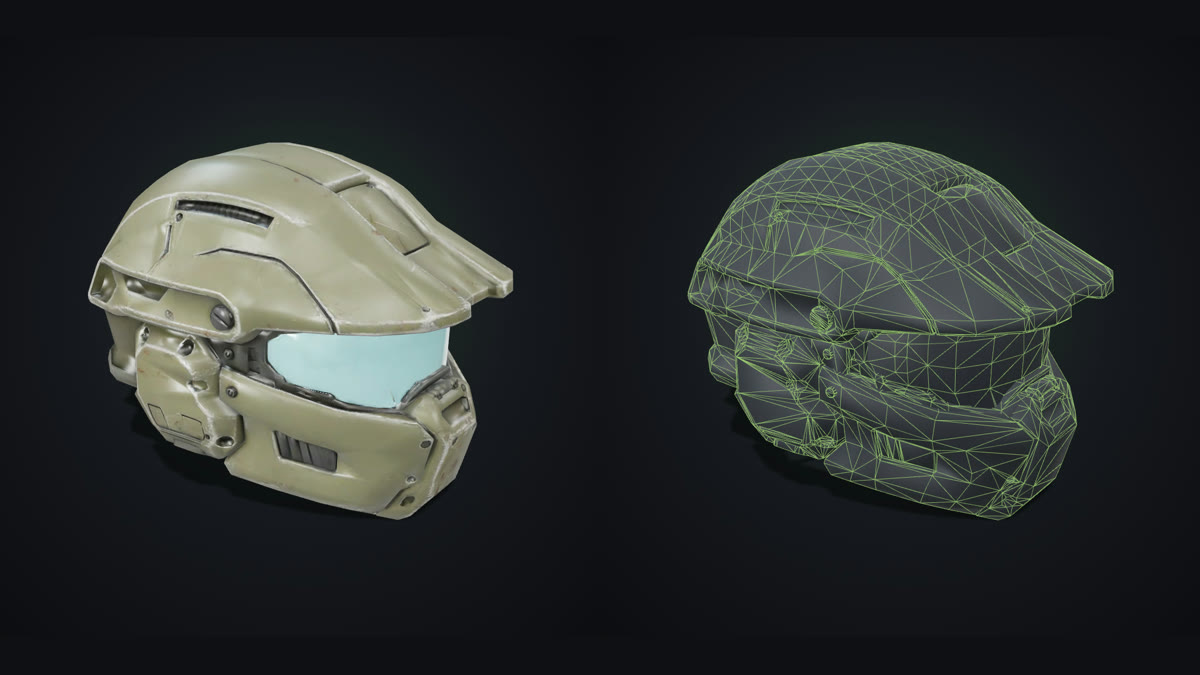 AI-generated
What about Roblox?
Roblox Studio's 3D Importer accepts .fbx, .obj and .gltf files and opens from File → Import (see the Roblox 3D Importer guide). Two rules matter:
- Format: OBJ with its texture is the simplest route; our STL vs OBJ vs GLB vs 3MF guide explains what each file keeps.
- Triangle limit: individual meshes cannot exceed 20,000 triangles, per the Roblox mesh specifications. Split larger models or use a low-poly version.
- Textures: with OBJ, keep the .obj, .mtl and texture image together, and apply the image as the texture if Studio does not pick it up.
How many triangles should a game prop have?
It depends on the platform and on how close the camera gets. As a rough guide per prop: 500–5,000 triangles on mobile, 1,000–10,000 on the web and standalone VR, and 5,000–30,000 on PC and console, with hero assets going higher. Light meshes look rich when the fine detail lives in normal and colour maps instead of geometry; the PBR overview explains how those maps work.
Examples: three props, three engines
We generated a treasure chest, a sci-fi helmet and a cottage from concept art with a low-poly engine. They came out at 4,006, 4,699 and 4,093 triangles, with 4K texture maps carrying the detail. That is inside every prop budget above and well under Roblox's 20,000-triangle limit per mesh, and each downloads as a GLB with its materials embedded, ready for the import steps above.
How to do it with GoCrazyAI
The AI 3D Game Asset Generator turns one piece of concept art into a light, textured prop in about three minutes, and its wireframe view shows the real triangle count before you download. Grab the GLB for Unity, Unreal, Godot and Blender, or the OBJ ZIP for Roblox Studio. For hero assets, use the Pro engine in the main AI 3D Model Generator and turn on quad mesh. No concept art? Describe the prop with Text to 3D Model.
Common mistakes when importing 3D models
- Importing a million-triangle sculpt as a prop. It looks fine alone and kills the frame rate in a scene. Use a low-poly version.
- Separating OBJ files. The mesh arrives grey without its .mtl and texture.
- Fixing scale per instance. Set it once in the import settings instead.
- Ignoring the Roblox limit. Meshes above 20,000 triangles fail to import; split or simplify them first.