



Short ad cost comparison AI: How to budget for recurring 15–30s ads and image+motion assets
Practical, numbers-first guide to estimate monthly costs for recurring 15–30s AI short ads and image+motion assets. Compare pricing units, hidden costs, and sample budgets.
 AI-generated
You need to know how much it will actually cost to publish regular 15–30s ads and image+motion assets each month. This guide gives concrete price ranges, the hidden cost levers that blow budgets, and two copy-paste workflows (monthly calculator and a 10-variant plan) so you can forecast spend. It also explains how credit-based systems (like GoCrazyAI's credits) change the math and make per-asset budgeting more predictable. Read the examples and use the step-by-step calculator to produce realistic monthly estimates before you buy a plan.
Quick Answer
Short ad cost comparison AI: For recurring 15–30s ads and image+motion assets, expect low-complexity AI short ads around $50–$200 each and higher-quality 15–30s assets between $500–$2,000 when factoring sound, edits, and branding. Add 10–30% for retries and extras. Use a credit-based or per-asset system for predictable per-piece budgeting at scale.
Why do pricing models matter: credits, minutes, subscriptions and per-image fees?
Answer: Pricing models set your effective cost per asset and determine whether scaling up saves or wastes money — minute-based billing favors long-form creators, per-image fees can suit occasional work, and credit pools or subscriptions benefit high-volume short-asset production. Evaluate the unit (minute, image, credit, seat) and map it to your expected cadence and retry rate to pick the right plan.
How the units change the math
- Minute-based: You pay for runtime. Good for podcasts and long videos; not cost-efficient for many short clips.
- Per-image / per-asset: Simple when volume is low, but costs can balloon with retries or higher-res outputs.
- Credit pools (credit-based): One pool covers images, video, audio, and effects; effective cost drops as you buy larger bundles but unused credits can be waste.
- Seat-based: Charging by user can penalize growing teams even if credits are the real consumption.
Industry comparisons show multiple unit types across providers — see a broad plan comparison at ComputerTech's pricing roundup for a side-by-side view of how those units influence per-asset costs.
How much does a 15–30s short ad or an image+motion asset actually cost today?
Answer: In the current market, quick UGC-style short ads can cost about $50–$200 each when generated and lightly edited; higher-quality 15–30s AI-produced ads with detailed editing, custom sound and branding usually land between $500–$2,000 — versus traditional agency spots that often start in the low thousands. These ranges depend on complexity, voice work, and number of iterations.
Cost table (typical ranges)
| Asset type | Low (fast) | Mid (polished) | High (studio-like) |
|---|---|---|---|
| 15–30s AI short ad | $50 | $300 | $2,000 |
| Image + motion (single asset) | $0.10–$5 | $10–$50 | $100+ |
| Traditional agency short (30s) | N/A | $5,000 | $200,000+ |
Sources and notes
- Market analyses report AI-generated UGC-style short ads from roughly $50–$200 while higher-quality AI ads often run $500–$2,000.
- Per-image pricing varies from a few cents up to several dollars depending on resolution and provider; subscription or credit systems change the effective cost with volume.
- For perspective on why lower per-asset cost matters for iterative testing, compare this to high-cost traditional buys like the Super Bowl (roughly $7M for a 30-second buy in 2024).
Hidden cost levers and mistakes to avoid: retries, quality tiers, voice actors, multilingual variants and team seats
Answer: The biggest hidden costs are retries (iteration), higher-quality exports, voice talent or premium AI voices, localization variants, and seat fees — each can materially raise your effective per-asset price. Budget a retry multiplier, confirm licensing on exports, and plan seats and add-ons before projecting monthly spend.
Specific mistakes and how to avoid them
- Ignoring iteration: Many creators generate multiple passes. Add a retry multiplier of 10–30% to each asset's base cost (common in industry calculators).
- Upgrading at export: Higher resolution or commercial licenses are often add-ons. Confirm whether the quoted price includes your final format.
- Overlooking voice and music licensing: Premium voice actors or custom music can double costs. Use built-in royalty-free generators where possible or budget separately.
- Seat fees and team scaling: Paying per seat inflates budgets for multi-person teams. Prefer credit pools that don’t charge seats or explicitly model seat costs into the forecast.
- Expired or unused credits: Buying large credit bundles reduces unit price but risks waste if your cadence changes. Match plan size to predictable monthly volume.
Avoid these by auditing provider terms, testing small, and tracking retries for the first month to set a realistic multiplier.
 AI-generated
How do you estimate your monthly budget? Workflow 1 — step-by-step cadence calculator?
Answer: Estimate monthly spend by listing your cadence (how many each month), assigning a base cost per asset type, applying a retry multiplier, and then adding extras (voice, localization, seats). Multiply and sum to get a realistic monthly total.
Step-by-step cadence calculator (practical)
- Define cadence: e.g., 20 short ads and 40 image+motion clips per month.
- Pick base cost per item: use ranges from section 2 (fast $100 / polished $500 per short; $5 per image+motion as a baseline).
- Add retry multiplier: multiply base by 1.1–1.3 depending on expected iterations.
- Add extras per item: voice ($10–$100), music ($0–$200), localization per language (×1.2–1.5).
- Add monthly fixed costs: seat fees, platform subscription, or reserved credits.
- Total and compare unit-based vs credit-based pricing to see which yields predictable cost per asset.
Example quick calc
- Cadence: 20 shorts/mo at $300 base = $6,000.
- Retries (20%): $1,200.
- Voice & music average per short: $40 × 20 = $800.
- Total monthly = $8,000.
Use this workflow to compare how a minute-priced plan or a credit pool affects your final number; minute-based plans usually increase cost for many short clips, while credit pools can smooth costs if credits cover mixed asset types.
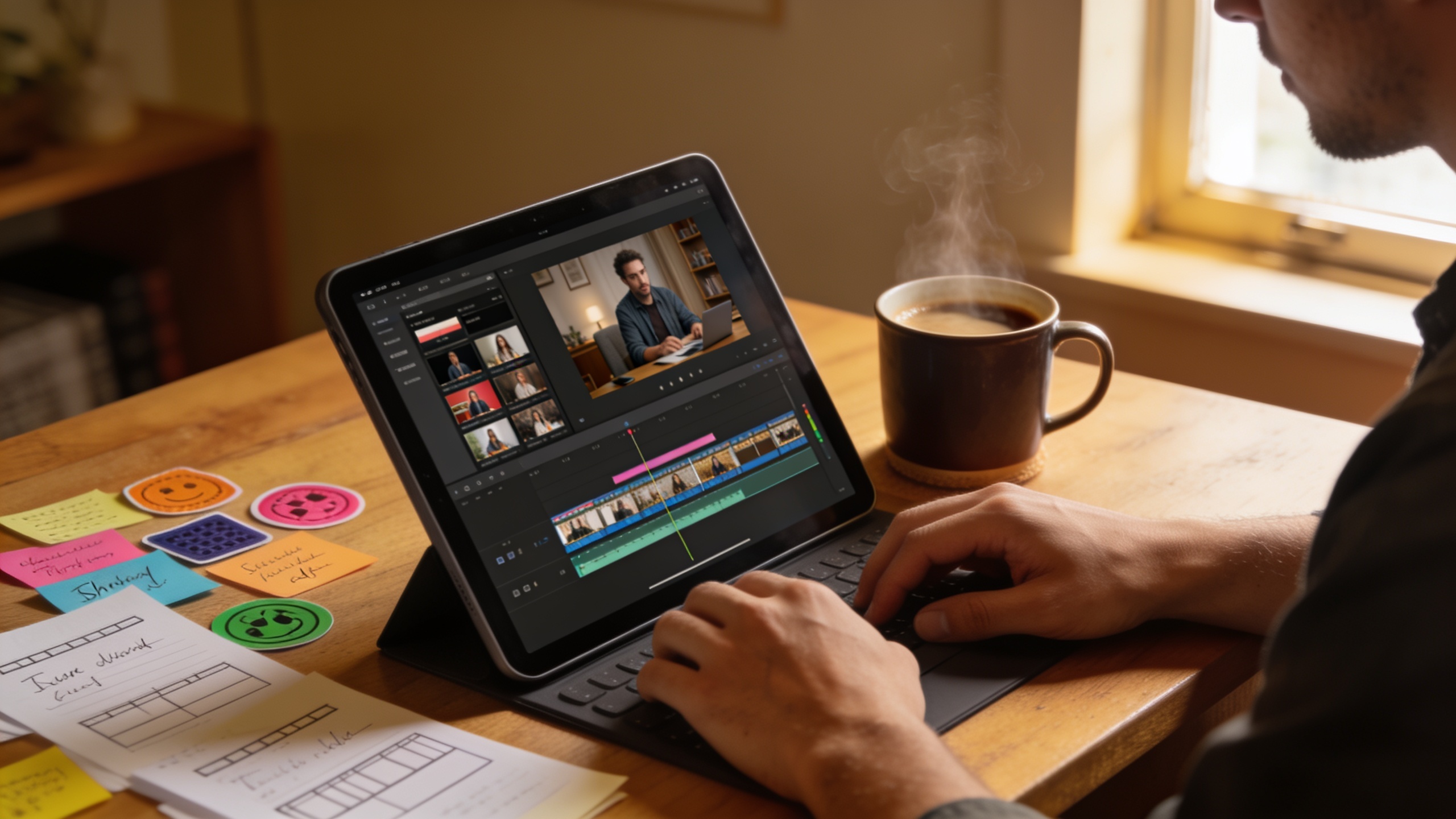 AI-generated
Workflow 2 — From concept to 10 ad variants: an example hands-on plan that minimizes cost per variant
Answer: To produce 10 low-to-mid quality variants of a single concept efficiently, reuse assets (voice, music, base image), batch-render, and apply small copy or motion tweaks — this pushes cost per variant down by sharing fixed elements and reducing iteration per variant.
Hands-on example plan (steps you can copy)
- Create a single core script and brand frame.
- Generate a high-quality hero image or short master clip once (use higher-res where needed).
- Produce 1 voice track and 1 music bed to reuse across variants.
- Batch-generate 10 variants by changing on-screen text, CTA, or 2–3 frames of motion.
- Run one round of light edits and automated subtitles for each variant.
Prompt examples (copyable)
- Script prompt:
"30s conversational UGC-style ad for an eco-cleaning spray. Voice: friendly female, 25–35, conversational. Scene 1: kitchen, spills, spray, wipe. CTA: "Try EcoShine — 20% off first order". Tone: helpful, fast-paced."
- Image to motion prompt:
"Product hero shot: EcoShine bottle on wooden counter, golden-hour lighting, shallow depth of field. Animate subtle camera push-in and sparkle on label. 16:9, cinematic."
Cost-minimizing tactics
- Reuse the same voice and music across variants to avoid per-variant voice costs.
- Generate low-cost motion tweaks instead of full rerenders for each variant.
- Batch-export to save per-export surcharges if the platform charges per render.
How does GoCrazyAI’s credit-based pricing (/credits) map to these workflows and lower per-asset cost?
Answer: GoCrazyAI uses a single credit pool that covers video, image, music, voice, and effects; this simplifies mapping asset consumption to budget and typically lowers the effective per-asset cost for mixed-output cadences and many short variants because you don't pay per seat and credits are consumed only when you generate. You can therefore predict spend for the two workflows above more reliably.
How this helps your workflows
- Workflow 1 (cadence calculator): One credit pool means you estimate credits per short and per image+motion, then buy a plan sized to your monthly need so the per-asset cost becomes stable.
- Workflow 2 (10 variants): Shared assets (voice, music, master image) consume credits once; small variant renders cost far fewer credits than full new productions.
Practical points about GoCrazyAI Pricing
- One credit pool spans all features: video, image, music, voice, and effects.
- Plans scale from hobbyist to studio volumes, so unit credit cost typically drops at higher tiers.
- No separate seat fees — teams don't incur seat-based surcharges.
Check the GoCrazyAI Pricing page for current credit-pack details and exact credit consumption per output. For generating videos, review the AI video generator consumption for per-clip estimates with the platform's AI video generator. When estimating image generation or edits, factor in the AI image generator rates for resolution-based credit usage.
 AI-generated
Which starting plan should I pick and how do I forecast scale? Sample monthly budgets for 3 creator profiles?
Answer: Pick a plan that matches your predictable minimum monthly consumption plus a conservative buffer (10–30% for retries). Below are sample budgets for three common profiles with assumptions spelled out so you can adapt the numbers to your cadence.
Profiles and sample monthly budgets
1) Indie creator (low volume)
- Cadence: 8 shorts, 16 image+motion assets
- Assumptions: $150 per short baseline, $5 per image+motion, 15% retries
- Sample monthly budget: (8×150 + 16×5)×1.15 ≈ $1,420
2) Small e-commerce brand (steady testing)
- Cadence: 40 shorts, 80 image+motion assets
- Assumptions: $300 per short baseline, $10 per image+motion, 20% retries, 1 extra language for 25% of assets
- Sample monthly budget: ((40×300) + (80×10))×1.2 ×1.25(for localization portion) ≈ $18,000 (approx, model each element separately)
3) Small agency (client work, mid-volume)
- Cadence: 120 shorts, 240 image+motion assets
- Assumptions: $200 per short (batch efficiencies), $8 per image+motion, 20% retries, team of 3
- Sample monthly budget: ((120×200)+(240×8))×1.2 + team overhead ≈ $33,000 (team overhead depends on seat fees or tool licenses)
How to adapt these
- Replace baseline numbers with your actual test runs.
- If using credit-based plans, convert credit usage per asset (from a trial month) into credits per month and compare pricing tiers on GoCrazyAI Pricing.
- Track actual retries and extras in month 1 and reforecast for month 2 to remove guesswork.
Frequently Asked Questions
How many credits does a 15–30s AI short typically cost on GoCrazyAI?
Credit consumption varies by model and settings. Run a single test render of your target style and resolution to measure credits, then multiply by your planned cadence. The GoCrazyAI Pricing page lists current credit bundles and helps convert consumption into cost.
Should I buy per-asset or a monthly credit bundle?
If you produce many short assets or mixed media (video + image + audio), a credit bundle usually gives more predictable per-asset cost. If you make very few assets, per-asset or pay-as-you-go can be cheaper. Model both using your cadence and retry multiplier.
How much should I budget for iterations?
Budget an extra 10–30% for retries in early months. Track actual retry rates in month one and update your multiplier — many teams see retries settle toward the low end after templates and prompts are refined.
Do I need to budget for voices and music separately?
Yes. Premium voice cloning or custom music beds are often add-ons. GoCrazyAI includes built-in music and voices billed from the same credit pool, which can reduce separate licensing line items if you use platform assets.
Conclusion
Final thoughts: Short ad cost isn't just a per-video number — it's cadence, retries, extras, and the pricing units that a provider uses. Use the step-by-step calculator and the 10-variant workflow to get realistic monthly estimates, then compare per-asset effective costs across minute-, seat-, and credit-based models. Check current credit costs on the GoCrazyAI Pricing page before you commit to a workflow.
Sources
- AI Tools Pricing Comparison 2026: Every Plan, Ranked by Value — ComputerTechcomputertech.co ↗
- Video Ad Production Costs: Traditional vs AI in 2026 — Novoads AInovoads.ai ↗
- The Real Cost of AI Video vs Traditional Production: A 2026 ROI Breakdown — Genra.aigenra.ai ↗
- AI Video vs Traditional Production: Cost Guide — PonPonponpon.ai ↗
- Image Generation Pricing — PriceToken (comparison of per-image costs)pricetoken.ai ↗
- AI Image Generation Cost Calculator — HustleCalcshustlecalcs.com ↗
- How Much Does AI Image Generation Cost in 2026? Full Pricing Breakdown — MyJourneymyjourney.so ↗
- Brands think 30 seconds during the Super Bowl is worth $7 million — Axios (Feb 2024)axios.com ↗
- GoCrazyAI — Pricing / Credits (internal feature page to link in article)gocrazyai.com ↗