



Veo 4.2 text to video: what’s real, what’s rumor, and fast workflows for TikTok hooks
Separate Veo 4 rumor from fact and ship vertical TikTok hooks today using Veo 3.1, Kling, and Sora. Step-by-step image→video and text→video workflows.
 AI-generated
You’ve seen “Veo 4” trending across threads — but creators need to know what’s actually usable today and how to keep shipping short vertical hooks. This article separates the Sept 2026 rumor mill from confirmed facts, explains why Veo 3.1 and other audio-native models are the practical choice, and gives model-specific, copyable workflows for turning a single product photo or a 20-word script into a 6–15s TikTok/Reels hook. I’ll include exact prompts, routing choices (Kling, Veo, Sora), and export settings that match what creators report working this week. Where it helps, I’ll show how GoCrazyAI’s AI Video Generator routes between Kling, Veo, and Sora and exports 9:16 masters so you can publish quickly.
Quick Answer
What does “Veo 4.2 text to video” mean? There is no confirmed Veo 4 public release as of mid-September 2026; the working model for creators today is Veo 3.1. To ship vertical TikTok hooks now, use Veo 3.1, Kling 2.5 Turbo Pro, or Sora 2 depending on whether you need native audio, stylized motion, or continuity. GoCrazyAI’s AI Video Generator lets you route across those models and export 9:16 clips fast.
What did the last two weeks actually announce about ‘Veo 4’ — and why are creators seeing the name?
Short answer (40–80 words): There is no confirmed Veo 4 public release as of mid‑September 2026; most public-facing pages referencing “Veo 4” reflect vendor roadmaps, product pages, or speculative coverage rather than a delivered model. Industry trackers and vendor notes from Sept 9–13 show repeated references to Veo roadmap work, but the concrete model in production remains Veo 3.1[1].
Expanded: Over the past two weeks several vendors updated marketing pages and a handful of industry roundups relayed roadmap rumors. Zebracat and Versely summarized the status: many vendor pages list hypothetical Veo 4 feature pages, but Zebracat warns these are often placeholders and not feature releases[1]. Versely and other roundups dated early Sept emphasize that Veo 3.1 is the publicly documented model seeing real integrations (for example, some creative tools embedding Veo 3.1 in September reports) and that coverage calling something “Veo 4” is frequently shorthand for vendor roadmaps rather than a released model[2].
Practical guidance: Treat any “Veo 4” mention as a roadmap signal, not as a production spec to validate your workflows. Build and test against Veo 3.1 or multi-model routing now so you don’t pause waiting for an uncertain release.
Why is Veo 3.1 + audio-native models the practical choice for text-to-video in Sept 2026?
Short answer (40–80 words): Veo 3.1 is the confirmed, publicly documented Veo model available in production and widely embedded by creative tools this month; it supports both text-to-video and image-to-video with native audio passes, so creators get dialogue or narration in a single generation step[2]. For fast hook production, pick an audio-native generator to avoid separate TTS and lip-sync passes.
Expanded: Multiple industry and tool reports from Sept 9–13 show Veo 3.1 being integrated into creative hosts and positioned among other audio-native options like Kling and Seedance[2]. Practically that means you can generate a short clip with motion, visual style, and a synchronized voice line in one go — a big time-saver for TikTok/Reels where pacing and native audio matter. Community threads also report limited personal availability (for example, Google Vids users seeing small free quotas) which suggests experimentation is possible without large cost[6].
Limitations to note: Audio-native generators often handle short dialogue best (a few lines). For longer scripted narration or precise branding voices, you may prefer separate voice generation (GoCrazyAI AI Voices) and then mix in post.
How to pick a model for your hook: when to use Veo 3.1, Kling 2.5 Turbo Pro, or Sora 2?
Short answer (40–80 words): Use Veo 3.1 when you want quick native audio and reliable motion from text or image; pick Kling 2.5 Turbo Pro for stylized motion, punchy edits, or when you want tighter framing control; choose Sora 2 when you need conservative outputs and compatibility across APIs. For continuity, route between them depending on whether audio, style, or reliability is your priority.
Expanded decision checklist:
- Veo 3.1: Best when you need a single-pass generation with native speech and natural mouth/gesture sync. Good for dialogue-led story openers or quick product intros. Industry coverage shows wide embedding in creative tools, making it a first practical choice now[2].
- Kling 2.5 Turbo Pro: Use when you want bolder stylization, fast renders, and tighter control of motion curves. Kling tends to produce punchy, platform-native cuts that work well for attention-grabbing hooks.
- Sora 2: Choose Sora for conservative, reliable renders and when you need fallback continuity for enterprise workflows. Note Sora API endpoints have recent deprecation chatter; plan for routing to avoid disruption.
Routing strategy: Start with Veo 3.1 for a first-pass native audio render. If the visual style needs stronger motion or brand flair, re-route the same prompt or image to Kling. If the run must be reproducible with strict API stability, use Sora as a fallback.
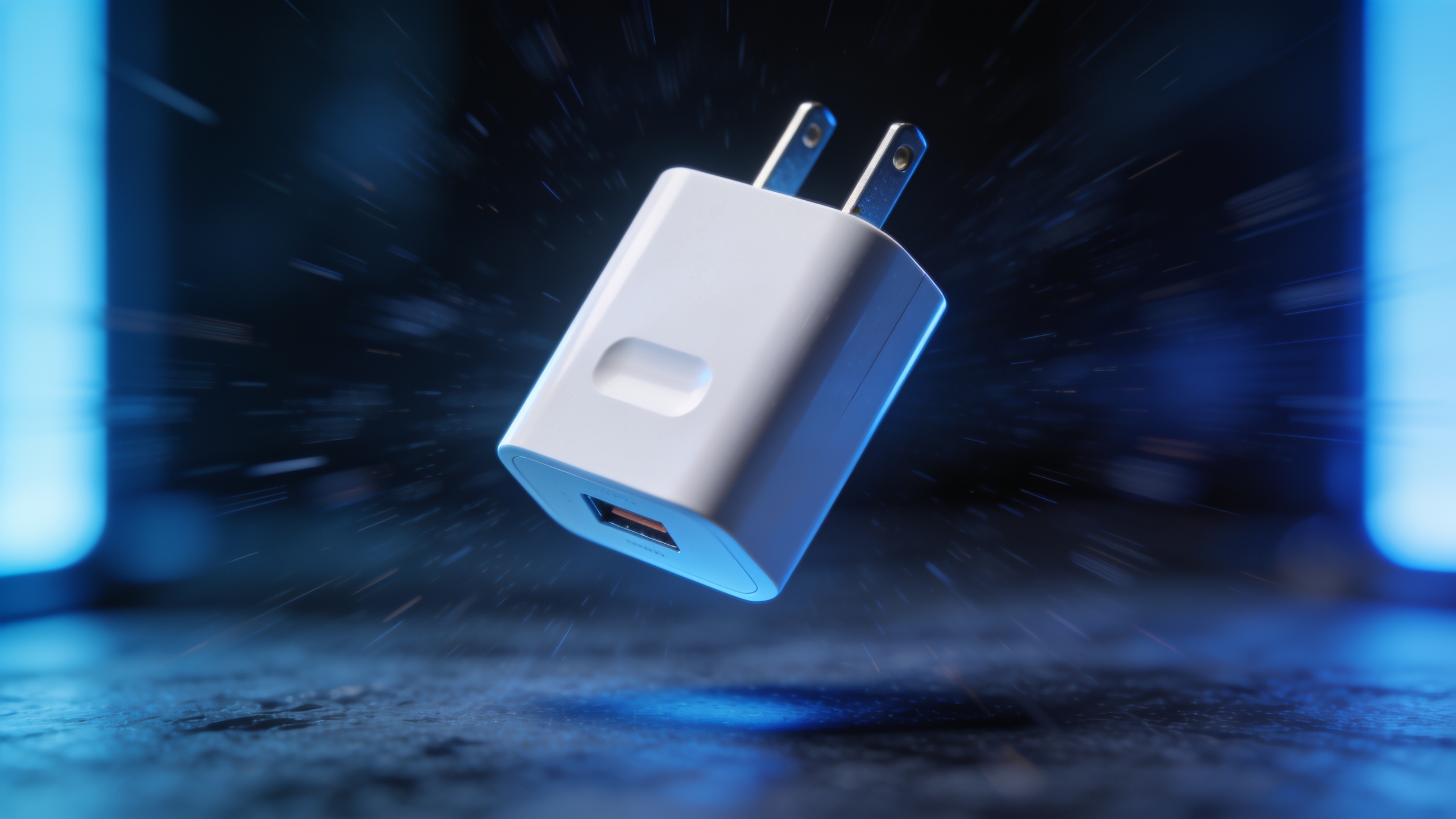 AI-generated
Hands-on: Convert one product photo into a 6–15s vertical TikTok using GoCrazyAI AI Video Generator (image→vertical hook workflow)
Short answer (40–80 words): Upload a product photo, pick 9:16 output, choose an initial model (Veo 3.1 for native audio or Kling for stylized motion), apply a short motion template (push-in, parallax, micro-rotation), add a 1–2 line audio prompt for a hook, render 720p→720–1080px for fast testing, then export. GoCrazyAI’s AI Video Generator routes across Kling, Veo, and Sora so you can try multiple models from one place.
Step‑by‑step walkthrough (copyable):
1) Prepare the photo: crop or upscaler if needed. Use the GoCrazyAI Image Upscaler if the photo is under 1024px (/image-upscaler).
2) Upload to the AI Video Generator (/create-ai-video). Choose "Image-to-Video", set aspect to 9:16, and pick a motion preset (e.g., "product push-in") for 6–8 seconds.
3) Prompt for motion & audio (example):
"Make the product float into frame with a gentle push-in, shallow depth-of-field; add a friendly female voice line: 'Meet the pocket pro — smaller than it looks, ready to pack a punch.' Keep tempo fast, 70–90 BPM percussive bed, bright tone."
4) Model routing: start with Veo 3.1 for the combined visual+audio pass. If the motion looks flat, re-run the same prompt on Kling 2.5 Turbo Pro for sharper cuts.
5) Quick exports: render one 720p proof for A/B, then export a 1080×1920 master for upload.
Tips: Keep the voice line short (6–10 words) and use concrete sensory verbs. Test two models back-to-back and compare native audio clarity and pacing before finalizing.
Hands-on: Turn a 20-word script into a 15s story-mode opener with native audio — text→video workflow on GoCrazyAI?
Short answer (40–80 words): Paste your 20-word script into the AI Video Generator, select 15s duration and 9:16 aspect, choose Veo 3.1 for a native audio pass, add a short visual style prompt and a music tempo hint, then render. You’ll get visuals and a synchronized spoken line in one generation; re-route to Kling for different motion character.
Exact prompt examples to copy:
"Script: 'Stop scrolling — this tiny charger lasts 72 hours. Clip shows charger sliding into pocket; close shot; upbeat female voice.' Style: clean product demo, bright lighting, slight film grain, punchy edit. Tempo: 85 BPM. Duration: 15s. Aspect: 9:16."
Model routing and editing: Use Veo 3.1 first for native audio. If you prefer a specific voice timbre, render the visual-only output and generate the voice separately with GoCrazyAI AI Voices (/ai-voice) then mix in the Media Mixer (/ai-video-edit). That gives finer control over brand voice while still moving fast.
 AI-generated
A/B testing and scale: batch variants, route between Kling/Veo/Sora, and measure hooks?
Short answer (40–80 words): Batch your hooks by templating the prompt and swapping the model routing parameter; render quick 6–8s proofs at 720p for cost and speed, then promote best-performing variants to 1080×1920 masters. Track click-through rate, watch‑through, and early drop at 1–3s as primary metrics for hooks.
Practical scaling tips:
- Batch setup: create a CSV with columns for prompt, model, duration, and music tempo. Use GoCrazyAI’s batch render route to queue variants across Kling, Veo, and Sora so you can test model differences without manual re-entry.
- Export strategy: render cheap proofs at 720p to the platform sample pool, then push winners to 1080×1920 for final uploads.
- Metrics to compare: first‑second retention, completion rate (15s), CTR on ad placements, and conversions. For creative A/B, compare identical scripts across models to isolate visual/audio differences.
- Cost and credits: batching reduces per-variant overhead; consult Pricing and credits to plan tests (/credits).
Creative presets and prompt-engineering cheatsheet for vertical hooks (framing, tempo, native audio prompts)?
Short answer (40–80 words): For vertical hooks use tight 9:16 framing, short voice lines (4–12 words), tempo hints (BPM), and a visual anchor in the first 0–1s. Prompts that combine explicit framing, a music tempo, and a one-sentence voice line usually produce better pacing for TikTok/Reels.
Cheatsheet (copyable):
- Framing: "9:16, tight close-up, product centered, -10% left composition for subtitle space."
- Tempo / music: "Tempo 85 BPM, light percussion, low bass hit on beats 1 and 3."
- Native audio prompt: "Voice: warm female, conversational, 7 words: 'Charge all day — pocket-sized power.'"
- Motion cues: "Subtle push-in 0–2s, 3 quick micro-cuts at 5–8s, final logo frame at 13–15s."
Example prompt (image→video):
"9:16 product hook. Tight close-up, slow push-in 0–3s, shallow depth-of-field. Voice: male, confident, 8 words: 'Tiny charger. Huge battery. Lasts all week.' Music: 90 BPM, rising synth pad under voice."
Prompt engineering tip: be explicit about subtitle space and breathing room. Also specify "no spoken disclaimers" or the generator may add extra lines. Use short sentences — most generators handle concise directions better than long paragraphs.
 AI-generated
Common pitfalls, vendor confusion (Veo 4 rumors, model retirement dates, and API changes) and how GoCrazyAI removes the friction?
Short answer (40–80 words): Pitfalls include treating Veo 4 mentions as a released model, relying on a single model/API with a sunset risk, and skipping native audio tests. Sora-family endpoints have reported upcoming deprecation windows in late‑Sept 2026, so multi-model routing reduces disruption. GoCrazyAI removes friction by routing across Kling, Veo, and Sora from one credit pool and providing 9:16 exports so you can swap backends without reworking prompts.
Specific mistakes and how to avoid them:
- Mistake: Building workflows against vendor marketing pages that list Veo 4 features. Avoid by testing on Veo 3.1, which is confirmed in production[1][2].
- Mistake: Single‑model lock-in. Avoid by routing your prompt to Kling, Veo, or Sora and keeping the same prompt template. GoCrazyAI’s multi-model routing helps here.
- Mistake: Ignoring API sunset notices. Avoid by exporting reliable masters (9:16) and backing up prompts and reference images. Versely and other trackers reported Sora API changes; plan redundancy if you rely on Sora for production[2].
- Mistake: Overlong script lines. Native audio generators are strongest with short lines; for longer narration, generate voice separately with GoCrazyAI AI Voices (/ai-voice) and mix in the AI Video Editor (/ai-video-edit).
How to ship: a checklist from render to publish (export settings, captions, and repurposing with GoCrazyAI)?
Short answer (40–80 words): Render proofs at 720p, pick the winning model and export a 1080×1920 H.264 master with burned subtitles or SRT. Add a vertical crop-safe title area, export one 1:1 repurpose for Instagram feed, and keep a 16:9 version for YouTube Shorts repurposing. Use GoCrazyAI exports and the Media Mixer to finish audio and subtitles quickly.
Final publish checklist:
- Proof renders: 6–8s at 720×1280 to test hooks quickly.
- Final render: 1080×1920 H.264, 25–30 fps, bitrate 6–10 Mbps recommended for Reels/TikTok.
- Audio: use native audio from Veo 3.1 for speed or mix custom voice via AI Voices (/ai-voice) and add background via AI Song Generator (/ai-music).
- Captions: generate SRT in the Media Mixer (/ai-video-edit) and burn for higher reach.
- Repurposing: export 1:1 and 16:9 variants using the same GoCrazyAI project to save time.
Note on credits and costs: plan batches and proofs with Pricing and credits (/credits) to optimize spend before exporting full‑res masters.
Frequently Asked Questions
Is Veo 4 released and available to creators?
No — as of mid‑September 2026 there is no confirmed public Veo 4 release. Most vendor pages and media mentions are roadmap signals; Veo 3.1 is the documented production model creators should test against[1][2].
Can Veo 3.1 generate native audio with narration in one pass?
Yes. Veo 3.1 is described in industry reporting as an audio-native generator that can produce visuals and synchronized spoken lines in a single generation, which is why it’s practical for quick hooks[2].
Which model should I pick for the fastest TikTok hook?
Start with Veo 3.1 for a single-pass visual+audio output. If you need more stylized motion or punchier edits, re-run the same prompt on Kling 2.5 Turbo Pro and compare. Keep Sora as a fallback for API stability.
Conclusion
Final thoughts: Treat Veo 4 mentions as rumors and validate your pipelines against Veo 3.1 and multi-model routes today. For fast vertical hooks, keep scripts short, test models side-by-side, and render cheap proofs before exporting masters. If you want to try routing between Kling, Veo, and Sora and export 9:16 clips quickly, open the AI Video Generator and drop in your image or script to ship a clip in your next break.
Sources
- Veo 4 Video Generator: Release Status, Specs, What to Use Today | Zebracatzebracat.ai ↗
- State of AI video, September 2026 | Verselyversely.studio ↗
- Veo 4 text to video — Reality check and short-form workflows | GoCrazyAIgocrazyai.com ↗
- Image to video TikTok — product photo to vertical demo | GoCrazyAIgocrazyai.com ↗
- AI video generator workflow for vertical product demos | GoCrazyAIgocrazyai.com ↗
- Adobe Embeds Five Competing AI Video Models in Premiere (industry coverage)techtimes.com ↗
- Reddit: Google just made Veo 3.1 available for free: 10 AI video generations/month (community report, Sep 11, 2026)reddit.com ↗